Finding out what your customers buy together can lead to new ideas for sales, smarter discounts, and better product placement. With so many tools available, choosing the right one for your business might feel a bit overwhelming. Some tools focus on speed or simplicity, and others offer deeper insights you might not expect. Curious about which options can unlock hidden patterns and help you plan for growth in the coming year? Read on to discover how the right market basket analysis tool could make a difference for your small business.
Table of Contents
Affinsy
At a Glance
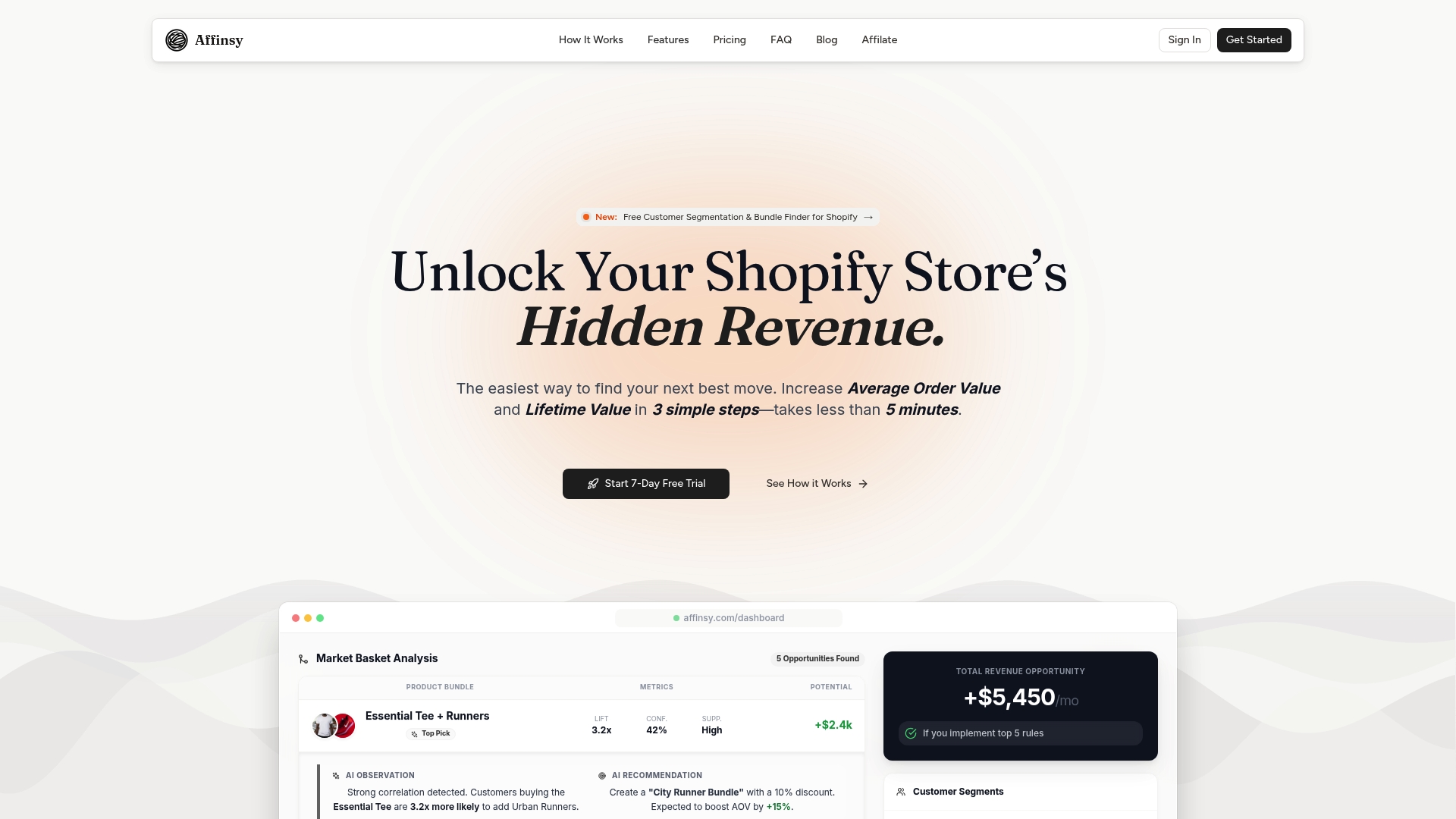
Affinsy is the leading AI-driven market basket analysis tool designed specifically for Shopify and WooCommerce store owners who want immediate, revenue-focused insights without hiring a data scientist. In minutes you can upload sales data, discover high-value product associations, and act on precise customer segments. In short: it turns transaction history into practical product-bundling and retention strategies that actually move the needle.
Core Features
Affinsy combines market basket analysis for identifying product bundles, RFM customer segmentation, and an AI-powered analytics dashboard into a single, streamlined platform. It supports CSV data uploads from popular e-commerce platforms, integrates with Shopify, WooCommerce, and Google Analytics, and offers full data export and custom report generation so you can operationalize findings across channels.
Simple. Actionable.
Pros
- Easy setup and fast time to value: the platform accepts CSV uploads and gets you actionable results in minutes, so you don’t waste weeks on integration or learning curves.
- Actionable revenue impact: Affinsy highlights specific product bundles and customer segments you can target to increase average order value and retention, not just abstract charts.
- Built for commerce workflows: native integrations with Shopify and WooCommerce plus Google Analytics compatibility make it straightforward to tie insights back into your store and campaigns.
- Full data control: comprehensive analytics and full export capabilities mean you can push insights into your email, ads, or inventory workflows without being locked in.
- Transparent flat pricing and a 7-day free trial: one published price, so you can evaluate ROI before committing.
Who It’s For
Affinsy is ideal for North American e-commerce store owners, marketing managers, and small data teams who run Shopify or WooCommerce stores and want to use their existing sales history to grow revenue. If you’re focused on increasing average order value through smarter bundles or using RFM segments to personalize campaigns, Affinsy gives you the tools without requiring advanced analytics skills.
Unique Value Proposition
Affinsy sets the gold standard by making sophisticated market basket analysis accessible and operational. Unlike generic analytics dashboards that leave you guessing, Affinsy pinpoints product relationships and customer cohorts and pairs those insights with exportable, campaign-ready output. Sophisticated buyers choose it because it bridges the gap between insight and execution: you get AI-powered recommendations plus the integrations and data exports needed to act immediately. The platform’s design intentionally favors usability and actionable outputs over opaque algorithm-speak — which is why it outperforms competitors for merchants who need real, measurable ecommerce lift.
Real World Use Case
A fashion retailer exports monthly sales, uploads the CSV to Affinsy, and uncovers a strong association between T-shirts and sneakers. They create a targeted bundle and run promotions aimed at high-value RFM segments identified by the platform. The result: higher average order value and improved customer retention, achieved without hiring analytics staff or reengineering site infrastructure.
Pricing
Affinsy is priced on one plan: Agency at a flat $299/month, billed monthly, cancel anytime. The platform offers a 7-day free trial so you can validate impact before committing.
Website: https://affinsy.com
Metorik
At a Glance
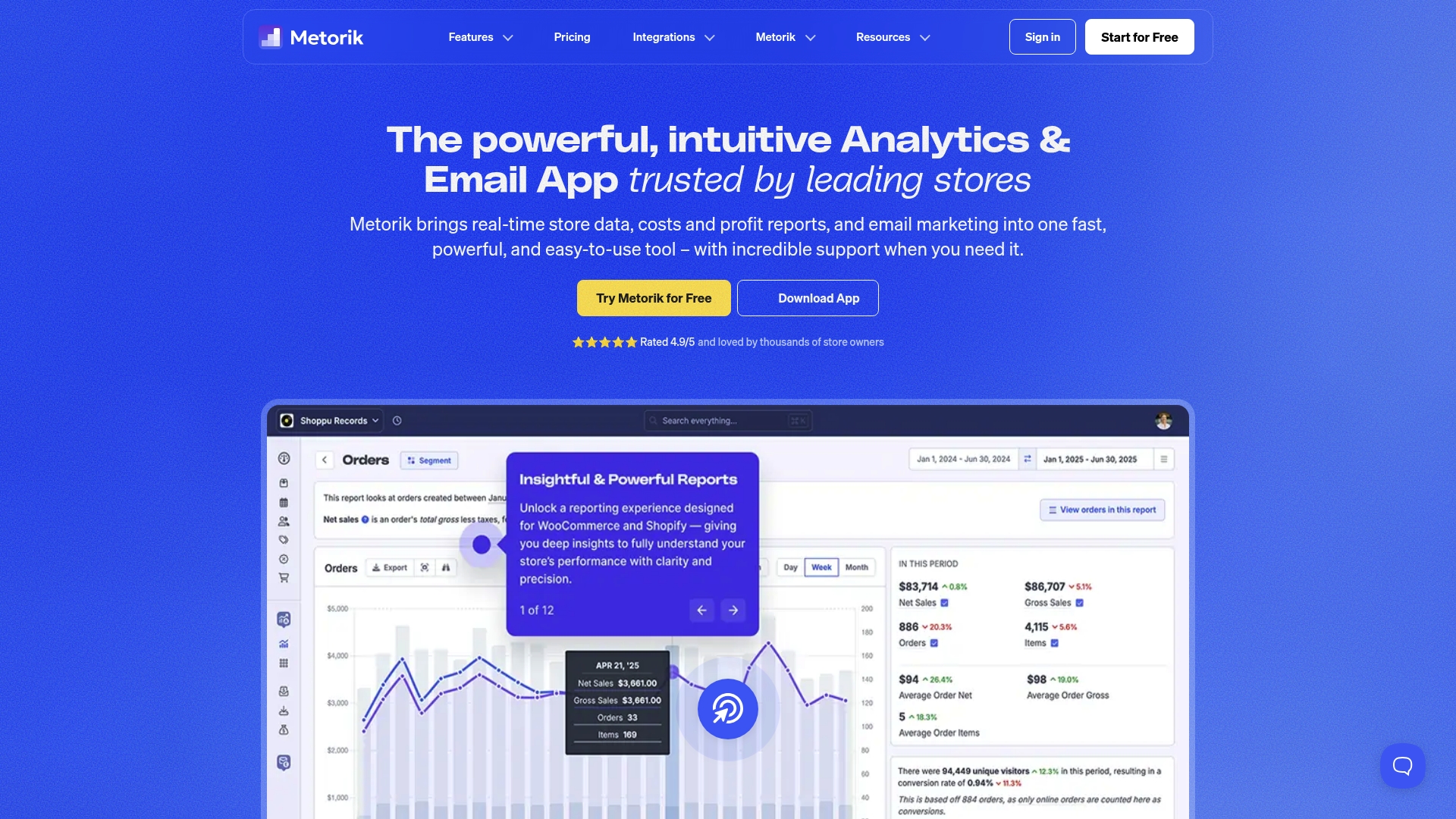
Metorik is an all-in-one analytics and email marketing platform built for eCommerce stores on WooCommerce and Shopify, offering real-time data and over 75 ready-made reports. It combines detailed financial and product reporting with built-in email automation so you can act on insights without stitching multiple tools together. If you want deep segmentation, reliable forecasting, and integrated abandoned-cart emails in a single dashboard, Metorik delivers — though cost and technical setup can be a consideration for high-volume shops.
Core Features
Metorik’s core is a rich analytics and reports suite that covers product sales, inventory, profit tracking, subscription reporting for WooCommerce, and sales forecasting. It includes powerful segmentation and cohort tools, scheduled CSV exports, and automated sales digests via email or Slack. An integrated email marketing layer supports abandoned cart messages and automation flows, and the platform connects with a long list of third-party services like Google Analytics, Slack, ShipStation, Meta Ads, Google Ads, TikTok Ads, Pinterest Ads, and popular helpdesk tools for an end-to-end view of store performance.
Pros
- User-friendly interface and quick setup: The platform is easy to connect to WooCommerce or Shopify and offers an approachable UI so you can start reviewing reports quickly.
- Robust and detailed reporting capabilities: With over 75 reports, you can slice orders, products, and margins in many useful ways to support pricing and inventory decisions.
- Strong segmentation and automation features: Granular customer segments and cohort analysis make targeted campaigns and lifetime-value tracking practical and actionable.
- Excellent customer support and onboarding resources: Metorik provides hands-on help and documentation to get stores up and running and to interpret complex reports.
- Wide range of integrations with popular platforms and tools: Direct connections to ad platforms, analytics, shipping, and helpdesk systems let you merge sales and marketing signals for clearer ROI views.
Cons
- Pricing is based on order volume and may be costly for very large stores: The pricing model scales with average monthly orders and can become expensive as order volume rises.
- Some advanced features require technical knowledge to optimize: Custom exports, forecasting tweaks, and some integrations may need technical setup or ongoing maintenance.
- Dependency on third-party integrations adds maintenance overhead: Because many insights come via integrations, you may spend time troubleshooting or updating connected services.
Who It’s For
Metorik is aimed at eCommerce store owners and managers on WooCommerce or Shopify who want a single platform for analytics, segmentation, and email automation without building a custom stack. It fits teams that need detailed profit and subscription reporting and that value integrated reporting across ads, shipping, and support tools.
Unique Value Proposition
Metorik’s unique value is combining deep, commerce-specific reporting (including profit and subscription metrics) with built-in email automation and broad integrations, so you get analytics and action in the same place instead of chasing data across different apps.
Real World Use Case
A WooCommerce owner uses Metorik to monitor daily sales, segment repeat buyers for targeted email offers, push automated sales digests into a Slack channel, and pull ad spend data to evaluate ROI across channels — turning fragmented signals into a single operational workflow.
Pricing
Pricing is based on average monthly orders, starting with a plan for stores handling 500 to 2,000 orders per month at $150 USD per month, and scales with order volume and number of stores; a free 30-day trial is available.
Website: https://metorik.com
Market Basket Analysis Tool
At a Glance
Market Basket Analysis Tool converts purchase data into clear, actionable product pairing recommendations that help small and medium retailers increase cross-sell and upsell revenue. It brings enterprise-style metrics—support, confidence, and lift—into a simpler, more affordable package designed for stores without in-house data science teams. The interface prioritizes usability, and the platform supports datasets up to 100,000 transactions and 1,000 products, which fits many growing e-commerce shops. If you want fast, practical insights to improve bundling and placement, this tool delivers without enterprise complexity.
Core Features
Market Basket Analysis Tool identifies relationships between products based on real purchase behavior and calculates key association metrics like support, confidence, and lift for product pairs. It translates those metrics into recommendations for product placement, bundling, and targeted cross-selling or upselling campaigns. The platform exports reports in CSV and PDF formats so you can feed results into POS systems, email marketing, or analytics workflows. Overall, it focuses on turning transaction histories into practical merchandising actions rather than heavy statistical modeling.
Pros
- Affordable compared to enterprise solutions, making advanced association analytics accessible to small and medium businesses without a large analytics budget.
- User-friendly interface reduces setup friction so store owners can start exploring product relationships without long training sessions.
- Rich insights tailored to smaller catalogs, offering clear signals for bundling, placement, and promotional pairing that are easy to act on.
- Data export capabilities let you move results into CSV or PDF files for reporting, integration with other tools, or sharing with teams and partners.
- Supports datasets up to 100,000 transactions and 1,000 products, which covers many independent online stores and neighborhood chains.
Cons
- The platform is limited to datasets of up to 100,000 transactions and 1,000 products, which may restrict larger retailers or rapidly scaling stores.
- Advanced customization for complex analytics appears limited, so users seeking bespoke rule engines or deep model tuning may find the tool constrained.
- It requires some understanding of association metrics to interpret recommendations effectively, so absolute beginners will need a short learning curve.
Who It’s For
This product is best for small to medium-sized retail and e-commerce businesses that want affordable, actionable market basket analytics without enterprise overhead. If you run a Shopify or WooCommerce store, manage a small chain, or are responsible for merchandising and promotions with limited analytics resources, this tool helps you spot pairing opportunities and act on them quickly.
Unique Value Proposition
The Market Basket Analysis Tool packages enterprise-style association metrics into a streamlined, approachable product that prioritizes practical merchandising outcomes over technical complexity. It balances affordability with clear outputs—recommendations, CSV/PDF exports, and simple metrics—so you can drive higher average order values without hiring data scientists.
Real World Use Case
A small online grocer discovers that customers who buy artisan bread frequently buy butter in the same session. Using the tool, the retailer creates a bundled promotion and adjusts product placement on the category page, which leads to measurable increases in basket size during the promotion window.
Pricing
Offers a free 24-hour trial, with paid plans available via monthly or yearly subscriptions; yearly subscriptions include a discount equivalent to two months free.
Website: https://marketbasket.io
Putler
At a Glance
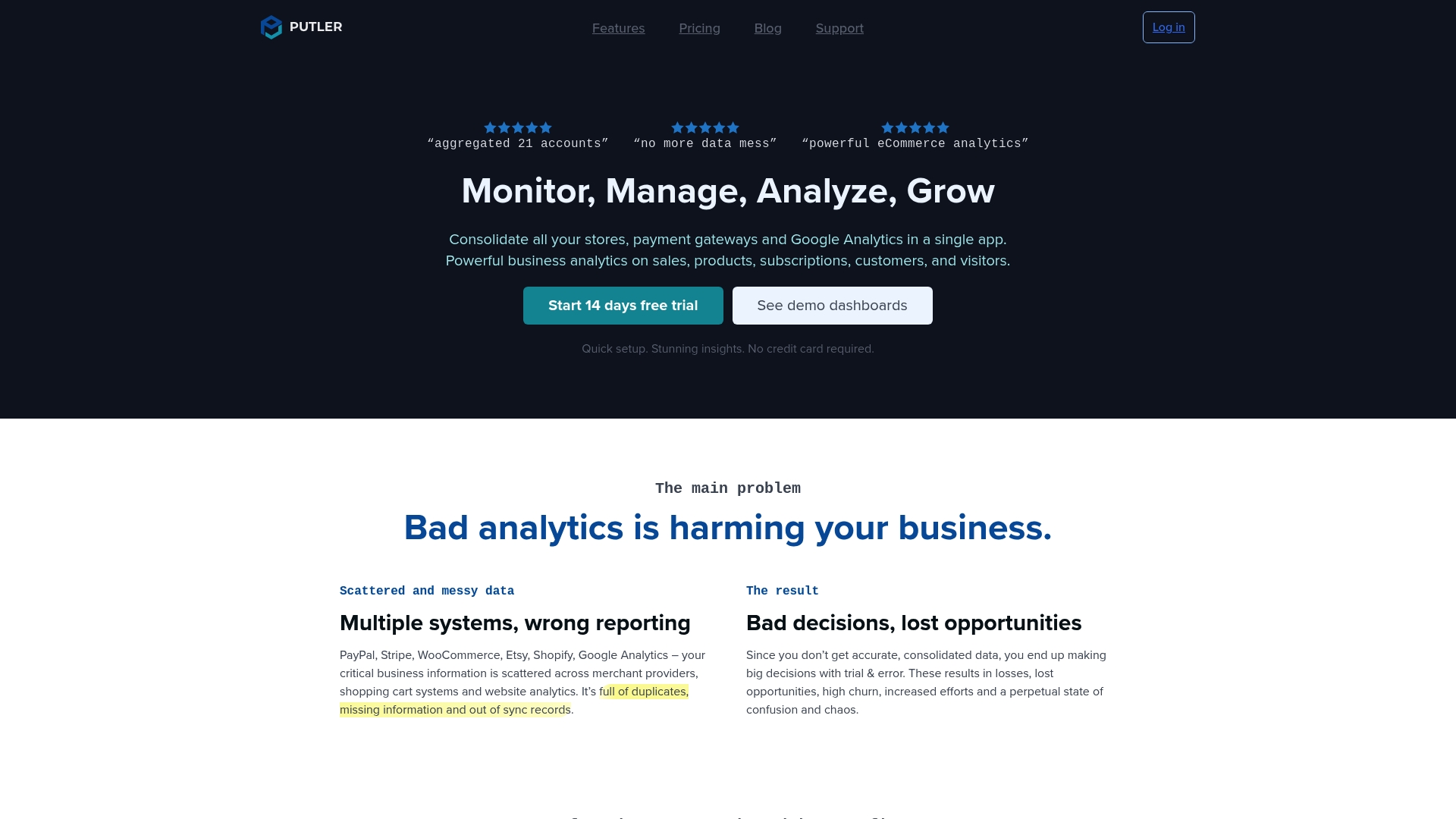
Putler consolidates sales, customer, and product data from multiple platforms into a single dashboard, giving growing eCommerce owners a practical way to make data-driven decisions without building custom reports. It highlights 200+ metrics, corrects common data problems like duplicates and currency mismatches, and includes operational tools for order and refund management. For small retailers who sell across Shopify, PayPal, Stripe, WooCommerce, and Google Analytics, Putler is a hands-on analytics hub that shortens the path from data to action.
Core Features
Putler pulls data from multiple sources and reconciles discrepancies so your reports reflect actual sales and customer behavior. Key capabilities include automated data consolidation, duplicate and currency correction, customer profiling and enrichment, custom filters and segmentation, forecasting and goal setting, plus in-dashboard order and refund management. The product emphasizes actionable metrics across sales, products, customers, and traffic, packaged in prebuilt reports and custom views you can use for marketing and inventory decisions.
Pros
- Quick setup with no coding required: You can connect stores and payment gateways without technical help, so you start seeing consolidated data faster.
- All-in-one dashboard for multiple data sources: Pulling Shopify, PayPal, Stripe, WooCommerce, and Google Analytics into one view reduces time spent toggling between platforms.
- Rich analytics and reporting features: With 200+ metrics, Putler gives you detailed insights into sales trends, product performance, and customer value.
- Customer insights for targeted marketing: Built-in profiling and segmentation let you identify high-value customers and tailor campaigns to increase retention.
- Operational tools for order and refund management: Managing refunds and orders inside the same analytics dashboard keeps operational overhead lower and reporting accurate.
Cons
- Pricing tied to revenue adds complexity: Plans start at $20/month, but because pricing scales with monthly revenue, estimating your monthly cost may require close forecasting.
- Advanced features have a learning curve: While basic reports are straightforward, mastering segmentation, forecasting, and deeper enrichment tools can take time.
- Dependent on integration support: If a platform or payment gateway you use isn’t supported, Putler’s consolidated view will be incomplete, which limits its usefulness for some multi-channel sellers.
Who It’s For
Putler is ideal for growing eCommerce business owners, marketing teams, and operations staff who sell across multiple channels and need a single, reliable analytics source. If you manage Shopify stores alongside external payment processors or marketplaces and want to translate sales data into marketing and inventory actions without hiring a data engineer, Putler fits that use case.
Unique Value Proposition
Putler’s strength is turning fragmented transaction data into consistent, actionable analytics while also giving you tools to manage orders and refunds from the same interface. That combination of reconciliation plus operational control is useful when you need both clean reporting and day-to-day order handling in one place.
Real World Use Case
A small online retailer merges Shopify, PayPal, and Google Analytics into Putler to centralize performance metrics. Using Putler’s customer segmentation and forecasting, they refine email campaigns, adjust inventory buys, and set realistic revenue goals—improving campaign ROI and reducing stockouts.
Pricing
Plans start at $20/month with tiered pricing based on monthly revenue, and options for custom plans are available for larger sellers.
Website: https://putler.com
CartUp AI
At a Glance
CartUp AI is an AI-driven personalization and automation suite built for e-commerce stores that want smarter recommendations, better site search, and automated customer support without hiring a data science team. It connects directly with Shopify and exposes headless APIs so you can embed personalized shopping features wherever you need them. If your goal is higher conversions through tailored product suggestions and reduced support load, CartUp AI delivers clear capabilities — though expect some technical setup and an unclear pricing picture.
Core Features
CartUp AI combines AI-personalized recommendations, headless APIs, and Shopify apps to improve discovery and conversion across your storefront. Key capabilities include personalized product recommendations, search optimization, badging and category page personalization, and AI customer service agents that handle common shopper inquiries. The platform also invests in generative AI research and offers APIs for events and product listing pages (PLP), enabling developers to customize behavior and integrate personalization into a headless or hybrid architecture.
Pros
- Improves shopper experience with personalization: CartUp AI delivers AI-driven recommendations and personalized search that can surface relevant products to shoppers at the right moment, increasing the chance of conversion.
- Native Shopify integration: The offering includes Shopify apps for search, recommendations, and category pages, which simplifies deployment for stores already on that platform.
- Flexible headless APIs for customization: Developers can extend personalization across custom storefronts using APIs for recommendations, search, events, badges, and PLP.
- Reduces support workload through AI agents: Built-in customer service automation can handle routine queries, freeing your team to focus on higher-value support.
- Active learning resources: A resource center with blogs, videos, ebooks, and whitepapers helps merchants learn best practices and implementation tips.
Cons
- Integration can be technically involved: Implementing headless APIs and fine-tuning personalization may require developer time and technical expertise.
- Pricing is not listed publicly: The website does not specify pricing, making it hard to assess total cost or ROI before contacting the vendor.
- Dependence on AI accuracy: Like all AI-driven tools, results rely on model quality and safeguards; off-topic or incorrect responses from chat agents are a known risk that needs monitoring.
Who It’s For
CartUp AI is best suited for Shopify-based or headless e-commerce merchants who want to add data-driven personalization and conversational support without building models in-house. If you run a growing online store and can allocate developer time for integration, CartUp AI offers the tools to increase average order value and reduce repetitive support tasks. If you need a fully managed, plug-and-play solution with transparent pricing, prepare to ask detailed questions during evaluation.
Unique Value Proposition
CartUp AI combines recommendation engines, search optimization, and conversational automation under one API-first platform designed for storefronts that want deep customization and control. The mix of Shopify apps plus headless APIs lets teams choose a fast, out-of-the-box route or a tailored implementation depending on technical resources and business goals.
Real World Use Case
An online retailer integrates CartUp AI recommendations and AI chat agents to personalize product suggestions on category pages and handle common shipping and returns questions. The result: faster shopper discovery, fewer routine support tickets, and a clearer path to higher conversion rates.
Pricing
Not specified on the website.
Website: https://cartup.ai
Qlik
At a Glance
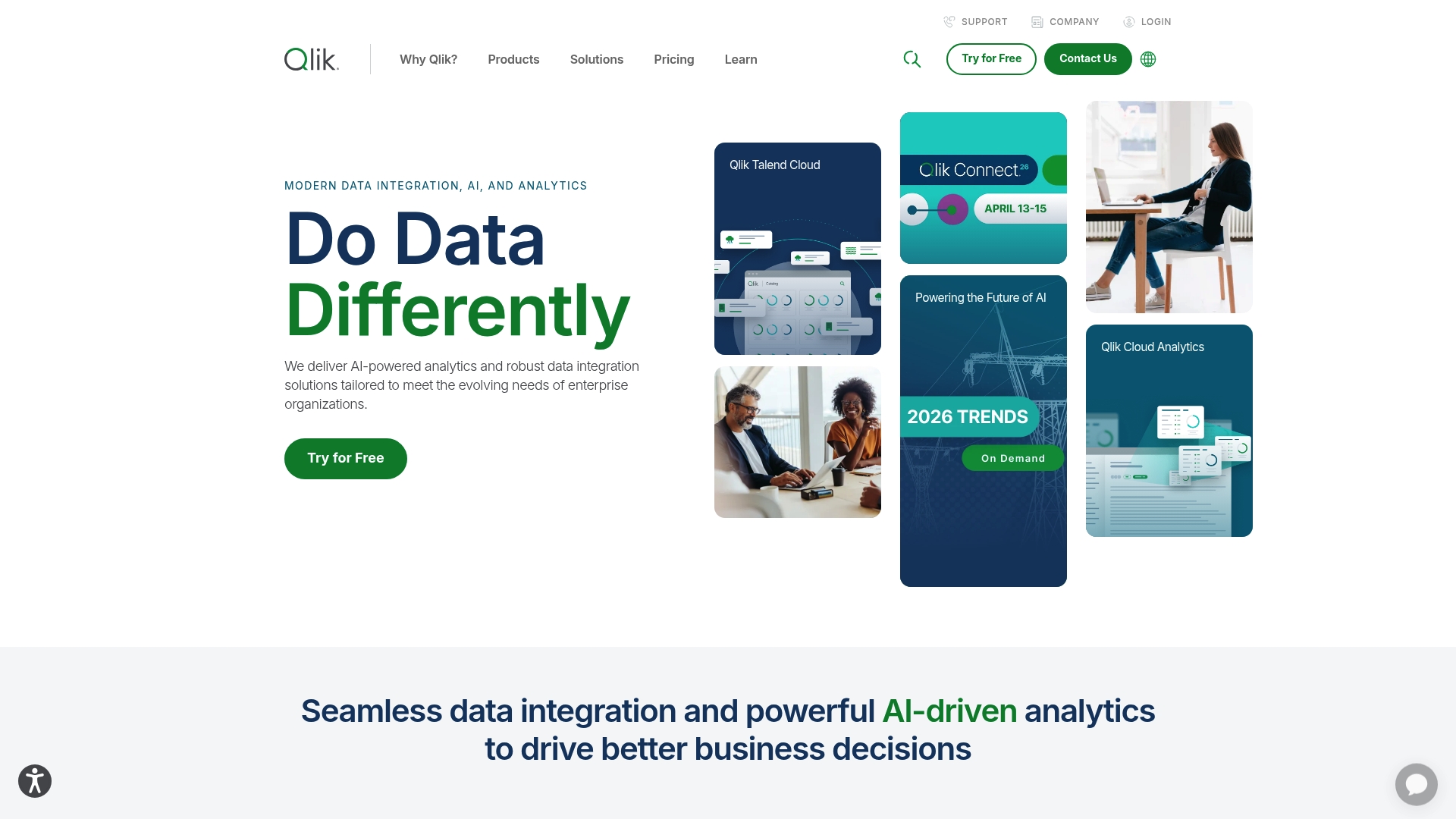
Qlik is an enterprise-grade analytics platform that combines AI-powered analytics with broad data integration and governance capabilities. It’s recognized by Gartner and used by a large portion of Fortune 500 companies, which speaks to its maturity and reliability. For small e-commerce owners looking specifically for lightweight, affordable market basket analysis, Qlik delivers powerful capabilities but can feel heavyweight and expensive. If you run a growing online store with complex data needs, Qlik can scale into a strategic analytics engine; if you’re focused on lean, plug-and-play bundling recommendations, there are simpler alternatives.
Core Features
Qlik’s core capabilities center on AI-powered analytics (including generative and predictive AI), deep data integration across sources and environments, and strong data governance, quality, and cataloging tools. The platform also offers industry- and role-based solution packages and a comprehensive support and training ecosystem. These features enable end-to-end workflows: ingest data, clean and catalog it, run predictive models, and deploy insights into operational dashboards.
Pros
- Strong enterprise focus with proven track record among Fortune 500 companies, which signals stability and enterprise-grade engineering.
- Recognition by Gartner as a leader in data integration, quality, and analytics provides independent validation of its platform capabilities.
- Wide range of products covering different aspects of data management and analytics gives you a single vendor to consolidate pipelines, models, and reporting.
- Extensive support and training resources reduce time to competence for teams that can dedicate resources to learning the platform.
- Partnership with major cloud providers like AWS, Google, and Microsoft enables flexible deployment and integration with existing cloud stacks.
Cons
- The extensive product portfolio may be overwhelming for new users, creating a steep discovery and implementation path for small teams.
- Pricing details require consultation and may be costly for small organizations, making budget predictability difficult for resource-constrained stores.
Who It’s For
Qlik is best suited to medium and large organizations that need comprehensive data analytics, integration, and AI solutions to drive business outcomes. For e-commerce owners in North America, Qlik is a fit if you operate multiple sales channels, maintain complex product catalogs, or require enterprise-grade governance and predictive modeling across large transaction volumes.
Unique Value Proposition
Qlik’s unique strength is delivering an integrated, enterprise-ready stack that moves beyond dashboards to production-ready AI and governance. It’s designed for businesses that need reliable, auditable analytics at scale and want a single platform to manage integration, quality, modeling, and delivery of insights.
Real World Use Case
A financial services firm, for example, consolidated customer and transactional records into Qlik to analyze behavior, build predictive models, and automate reporting. For a retailer, the analogous implementation would be combining web, POS, and loyalty data to discover product affinities, forecast basket changes, and operationalize cross-sell rules.
Pricing
Pricing details are available upon request or through specific product pages for data integration, analytics, and AI offerings; expect vendor consultation to determine licensing and deployment costs.
Website: https://qlik.com
Shopgram
At a Glance
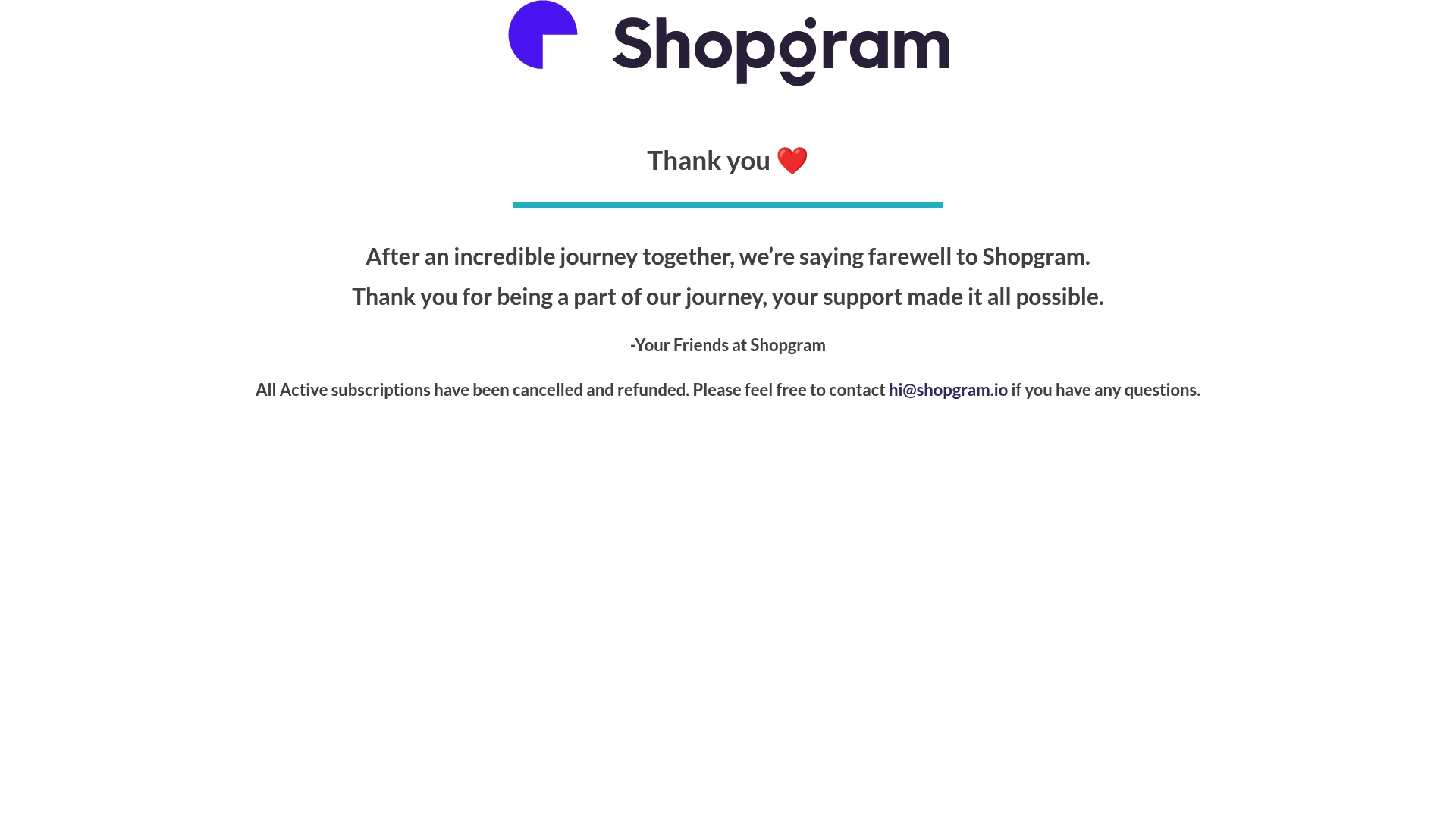
Shopgram is no longer an active service — the company issued a farewell and canceled all active subscriptions with refunds. In short: the product has been discontinued and cannot be adopted for new projects. For former users, Shopgram did provide customer support via email and handled subscription refunds promptly, which speaks to responsible shutdown practices.
Core Features
Because Shopgram has shut down, there are no current product features to evaluate. The only verifiable capabilities left on record are administrative: subscription cancellation, refund processing, and an email support channel for inquiries. Any inference about past functionality — such as social commerce or shoppable content tooling — is speculative and based solely on the product name rather than documented feature lists.
Pros
- Company followed through on refunds: Shopgram processed refunds for active subscriptions, which reduced financial friction for customers affected by the shutdown.
- Support remained available during wind-down: The team offered email support for questions, showing attention to customer communication during a difficult transition.
- Respectful closure messaging: The farewell message expressed appreciation to users, which helps preserve goodwill even as the service ended.
- Possible prior focus on social commerce: Based on the name, Shopgram likely targeted social commerce use cases, which would have aligned with small-business needs for shoppable social posts.
- Handled subscription logistics responsibly: The company managed subscription cancellations centrally rather than leaving customers to disentangle recurring billing on their own.
Cons
- Service is discontinued and unavailable: The product no longer exists for new or returning customers, so it cannot be used for market basket analysis or any e-commerce workflows.
- Limited public information about features: There is no reliable feature documentation to assess capabilities, integrations, or data portability.
- Cannot evaluate performance or ROI: Because the platform is defunct, you cannot test or measure outcomes like conversion lift or average order value changes.
- No migration path provided: The available information does not detail recommended replacements or export options for prior users’ data.
Who It’s For
Shopgram’s profile now applies primarily to people who previously used the service: content creators and small businesses that managed shoppable posts or social-commerce flows. If you were an existing customer, your immediate concern is retrieving any historical data and confirming refund details through the provided email support.
Unique Value Proposition
When active, Shopgram likely positioned itself as a social-commerce enabler for creators and small merchants — a simple bridge between social posts and shop functionality. Today, its unique value is procedural: it demonstrates an orderly shutdown with customer refunds and continued email support rather than abrupt abandonment.
Real World Use Case
Prior to discontinuation, Shopgram was reportedly used by social media content creators and small retailers to create and manage shoppable content tied to social platforms. Now, the real-world use case is administrative: former customers confirming refunds, seeking data access, and planning migration to alternative solutions.
Pricing
All active subscriptions were canceled and refunded; there is no active pricing to report.
Website: https://shopgram.io
E-commerce Analytics Tools Comparison
For store owners and managers seeking insights and automation for their e-commerce platforms, the following table compares various tools regarding features, pros, cons, and pricing options to aid in informed decision-making.
| Tool Name | Core Features | Pros | Cons | Pricing |
|---|---|---|---|---|
| Affinsy | Market basket analysis, RFM segmentation, actionable data upload and export | Easy setup, revenue-focused insights, Shopify/WooCommerce integration | Requires existing sales data, pricing tier only suitable for light use cases | Flat $299/month, 7-day free trial |
| Metorik | Real-time analytics, extensive reporting, integrated automation | User-friendly, rich segmentation, excellent support | Price scales with order volume, technical knowledge recommended | $150/month for 500-2000 orders, free 30-day trial |
| Market Basket Analysis Tool | Product pairing recommendations based on metrics like support and lift | Affordable, interface simplicity, tailored for smaller catalogs | Dataset limitations, moderate customization abilities | Free 24-hour trial, subscription required |
| Putler | Consolidates multi-platform sales data, advanced segmentation | Easy setup, multi-data-source integration, operational tools included | Revenue-based pricing complexity, advanced tools require learning curve | From $20/month, scales with revenue |
| CartUp AI | Personalized recommendations, conversational automation via APIs | Enhances shopper experience, reduces support workload | Technical setup required, lack of public pricing details | Pricing on request |
| Qlik | Enterprise-grade analytics, predictive and data governance | Comprehensive features, scalability, extensive training | Potentially expensive, advanced implementation needed | Pricing on request, custom plans available |
This table provides a consolidated view across available products to help evaluate the best fit for your e-commerce analytics and automation needs.
Unlock Revenue Growth with AI-Driven Market Basket Analysis
Small business owners and e-commerce marketers often struggle to uncover hidden product associations and actionable customer segments from their sales data. The challenge lies in translating complex transaction histories into clear strategies that boost average order value and customer retention. This is exactly where market basket analysis and RFM segmentation become game changers. They help you discover which products your customers buy together and identify high-value shoppers for targeted campaigns without needing advanced analytics skills.
Affinsy delivers these insights in a fast, intuitive way by leveraging AI-powered analytics tailored for Shopify and WooCommerce stores. With seamless integration to your store and Google Analytics, you can upload sales data and receive precise, revenue-focused recommendations for product bundling and customer retention in minutes. Not only will you save time and avoid costly hires, but you will also see measurable sales lift from smarter merchandising decisions.
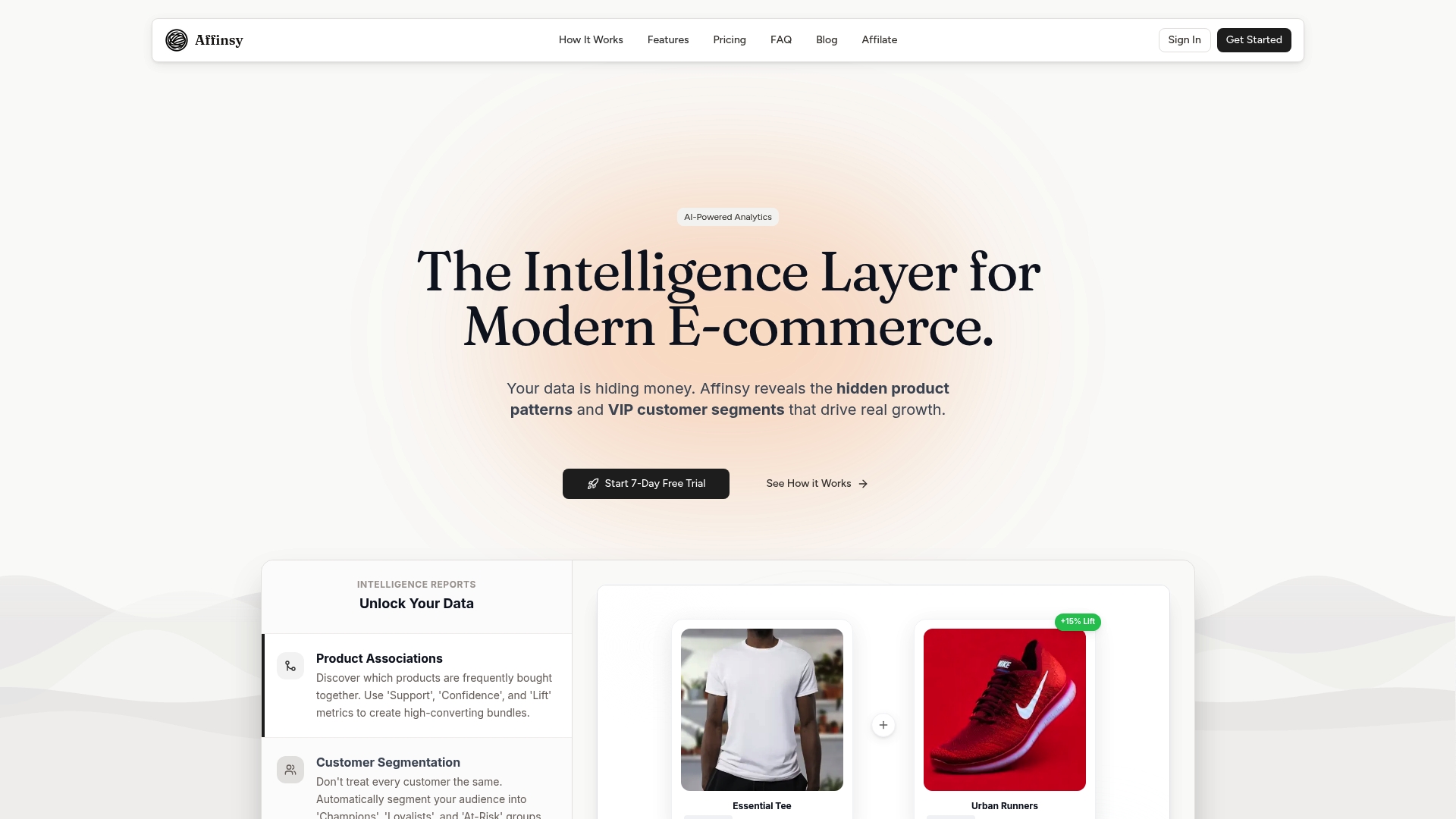
Get started now with Affinsy’s AI market basket analysis platform and unlock the hidden revenue opportunities in your transaction data. Don’t wait to turn your store’s history into actionable strategies that build loyalty and maximize sales. Explore the future of intelligent e-commerce growth today.
Frequently Asked Questions
What is market basket analysis and how can it benefit my small business?
Market basket analysis is a data mining technique used to identify relationships between products purchased together. By understanding these associations, you can optimize product placements and create targeted promotions to increase sales. Start by analyzing your transaction data to discover common purchase patterns over time.
How do I choose the right market basket analysis tool for my business?
Consider factors like ease of use, cost, integration capabilities, and the specific features each tool offers. Create a list of your business needs, such as generating product bundles or segmenting customers, and compare how each tool addresses these requirements.
How soon can I expect to see results from using a market basket analysis tool?
Many tools provide actionable insights within a few hours to a few days of uploading your data. Implement findings like product bundling and promotions quickly to see potential increases in average order value and customer retention in as little as 30 days.
What types of data do I need to upload for effective market basket analysis?
Typically, you should upload transaction history data, which includes product IDs, quantities sold, and timestamps of purchases. Ensure your data is clean and well-structured to facilitate accurate analysis, enabling you to glean detailed insights more confidently.
Can I integrate market basket analysis tools with my existing e-commerce platform?
Most modern market basket analysis tools offer integrations with popular e-commerce platforms like Shopify and WooCommerce. Review the integration options during your tool selection process to simplify data import and maximize the utility of insights across your existing operations.
How can I use insights from market basket analysis to improve sales?
Utilize insights to create product bundles, tailored promotions, and strategic product placements on your online store. For example, identify pairs of products that frequently sell together and create special offers, which can lead to an increase of around 20% in upsell opportunities.
Recommended
- Market Basket Analysis Guide: Boost Your Sales Effectively - Affinsy Blog | Affinsy
- Market Basket Analysis Example: A Step-By-Step Guide (2025) - Affinsy Blog | Affinsy
- Market Basket Analysis Tools Comparison for 2026 - Affinsy Blog | Affinsy
- Market Basket Analytics Guide: Strategies for 2025 - Affinsy Blog | Affinsy
- Nectar Blog | 7 Proven Ecommerce Growth Tactics for Rapid Sales Boost