
Finding clarity in sales data often feels impossible when transaction records are scattered across multiple systems. For E-commerce managers striving to improve customer retention and product bundling, connecting your platform with analytics tools unlocks a clearer path forward. By embracing strategic integration of e-commerce with analytics platforms, you gain access to actionable insights about buyer behavior, helping you refine bundling strategies and target repeat customers more effectively.
Table of Contents
- Step 1: Integrate Your Ecommerce And Analytics Platforms
- Step 2: Cleanse And Organize Transaction Data
- Step 3: Apply Product Association And Customer Segmentation
- Step 4: Evaluate Insights And Optimize Sales Strategies
Quick Summary
| Key Insight | Explanation |
|---|---|
| 1. Integrate E-commerce and Analytics | Connect your e-commerce platform with analytics for seamless data flow, enhancing decision-making with real customer behavior insights. |
| 2. Cleanse and Organize Data | Address data quality issues to ensure reliable information for analysis, preventing errors and improving decision-making. |
| 3. Employ Product Association | Identify commonly purchased items together to create bundling opportunities and enhance cross-sell strategies for increased revenue. |
| 4. Implement Customer Segmentation | Use RFM analysis to divide customers into actionable segments, allowing for targeted marketing and personalized offers that drive sales. |
| 5. Test and Optimize Sales Strategies | Regularly test insights on a small scale before scaling to full implementation, ensuring effective adjustments based on customer responses and metrics. |
Step 1: Integrate Your Ecommerce and Analytics Platforms
Connecting your ecommerce platform directly to your analytics tools eliminates data silos and gives you a complete picture of customer behavior. This integration ensures that every transaction, click, and interaction flows seamlessly into your analytics dashboard, allowing you to make decisions based on real data rather than guesswork.
Start by identifying which platforms you currently use. Most small to mid-sized retailers operate with a combination of these core systems.
- Your ecommerce platform (Shopify, WooCommerce, BigCommerce, or similar)
- Your analytics tool (Google Analytics, Mixpanel, or custom dashboards)
- Your CRM or customer database
- Any marketing automation tools you rely on
Next, verify that your ecommerce platform supports native integrations or API connections. Most modern platforms do, but you’ll want to confirm before proceeding. Check your platform’s app marketplace or integration settings to see what’s already available.
Here’s a quick comparison of common ecommerce and analytics platforms and their integration capabilities:
| Platform Type | Example Platforms | Integration Approach | Business Impact |
|---|---|---|---|
| Ecommerce Platform | Shopify, WooCommerce, BigCommerce | Native app marketplace, API | Enables seamless transaction tracking |
| Analytics Tool | Google Analytics, Mixpanel | API, plug-ins | Provides actionable insights |
| CRM/Customer Database | HubSpot, Salesforce | Data sync, custom connectors | Improves personalized marketing |
| Marketing Automation Tool | Mailchimp, Klaviyo | Direct connectors, workflow APIs | Boosts campaign targeting |
The actual connection process varies depending on your platforms. Generally, you’ll need to grant permission for data sharing between systems. This typically involves authenticating your account and selecting which data types to sync (transactions, customer profiles, product information, etc.).
Strategic integration of ecommerce with analytics platforms enhances your ability to track customer journeys and identify growth opportunities. Once connected, your historical transaction data becomes actionable intelligence rather than static records.
Verify the integration is working by checking that recent transactions appear in your analytics platform within 24 hours. Most platforms sync data daily, though some offer real-time updates.
Choose integrations that support both historical data import and ongoing real-time sync. This ensures you capture the full picture from day one.
Pro tip: Start with a single integration rather than connecting everything at once. This helps you verify data accuracy and troubleshoot issues without overwhelming your systems.
Step 2: Cleanse and Organize Transaction Data
Dirty data ruins analysis. Missing values, duplicate entries, inconsistent product names, and negative quantities (returns) create noise that skews your insights and leads to poor business decisions. Cleansing transforms raw transaction data into reliable information you can actually trust.
Start by identifying the most common data quality issues in your dataset. Look for these problem areas:
- Missing customer IDs or product descriptions
- Duplicate transactions from the same customer on the same date
- Inconsistent product names (“T-Shirt” vs “tshirt” vs “T Shirt”)
- Negative quantities indicating returns or cancellations
- Outliers like orders with suspiciously high values
You’ll need to handle missing values, noisy data, and inconsistencies before analysis. For missing values, decide whether to remove incomplete records or fill them with reasonable estimates. For duplicates, keep only the original transaction and remove copies.

Standardize your data format next. Convert all product names to the same case, use consistent date formats, and ensure category names match across your entire dataset. This takes time but prevents errors later.
Create a master product list that serves as your reference. Every product in your transaction data should match this list exactly. Similarly, establish standardized category names so products are grouped consistently.
Clean data at the source prevents hours of troubleshooting later. Invest time in this step to save time in analysis.
Once you’ve finished cleansing, validate your results by running basic checks. Count transactions before and after, verify that totals match your accounting records, and spot-check a few random entries.
Pro tip: Automate your cleansing process where possible using scripts or tools instead of manual spreadsheet edits. This ensures consistency and makes it easy to re-clean data as new transactions arrive.
Step 3: Apply Product Association and Customer Segmentation
Now that your data is clean, you can uncover the patterns that drive growth. Product association reveals which items customers buy together, while customer segmentation divides your audience into actionable groups based on their behavior. Together, these techniques transform raw transactions into a growth strategy.
Start with product association by identifying frequently purchased item combinations. Look for patterns like customers who buy blue jeans also buying black belts, or people purchasing running shoes adding moisture-wicking socks to their cart. These patterns become bundling opportunities and cross-sell suggestions.
Next, apply customer segmentation to understand who your customers really are. The most effective approach uses RFM analysis combined with clustering techniques to group customers by recency, frequency, and monetary value. This creates segments you can target with personalized offers.
Your segmentation might look like this:
- High-value repeat customers who deserve premium offers
- New customers who need nurturing and incentives to return
- At-risk customers who haven’t purchased recently
- One-time buyers who could become loyal with the right message
Understanding individual customer behaviors through segmentation enables better targeting and personalized recommendations. Once you identify these segments, you can tailor your marketing, pricing, and product recommendations to each group’s specific needs and preferences.
Actually applying these insights means adjusting your strategy. Show high-value customers exclusive products. Offer first-time buyers a discount on their second purchase. Recommend complementary products based on what similar customers purchased. These actions directly drive sales increases.
The best insights mean nothing without action. Segment your customers, then change how you treat each group.
Test your assumptions by launching a small campaign targeting one segment. Monitor the results and refine your approach before scaling to your entire customer base.
Pro tip: Start with RFM segmentation because it requires only three data points: when customers last bought, how often they buy, and how much they spend. You can implement this immediately without waiting for complex analysis.
Step 4: Evaluate Insights and Optimize Sales Strategies
Insights without action are just noise. Now you’ll translate your product associations and customer segments into concrete changes that drive revenue. This step separates retailers who dabble in analytics from those who actually grow.
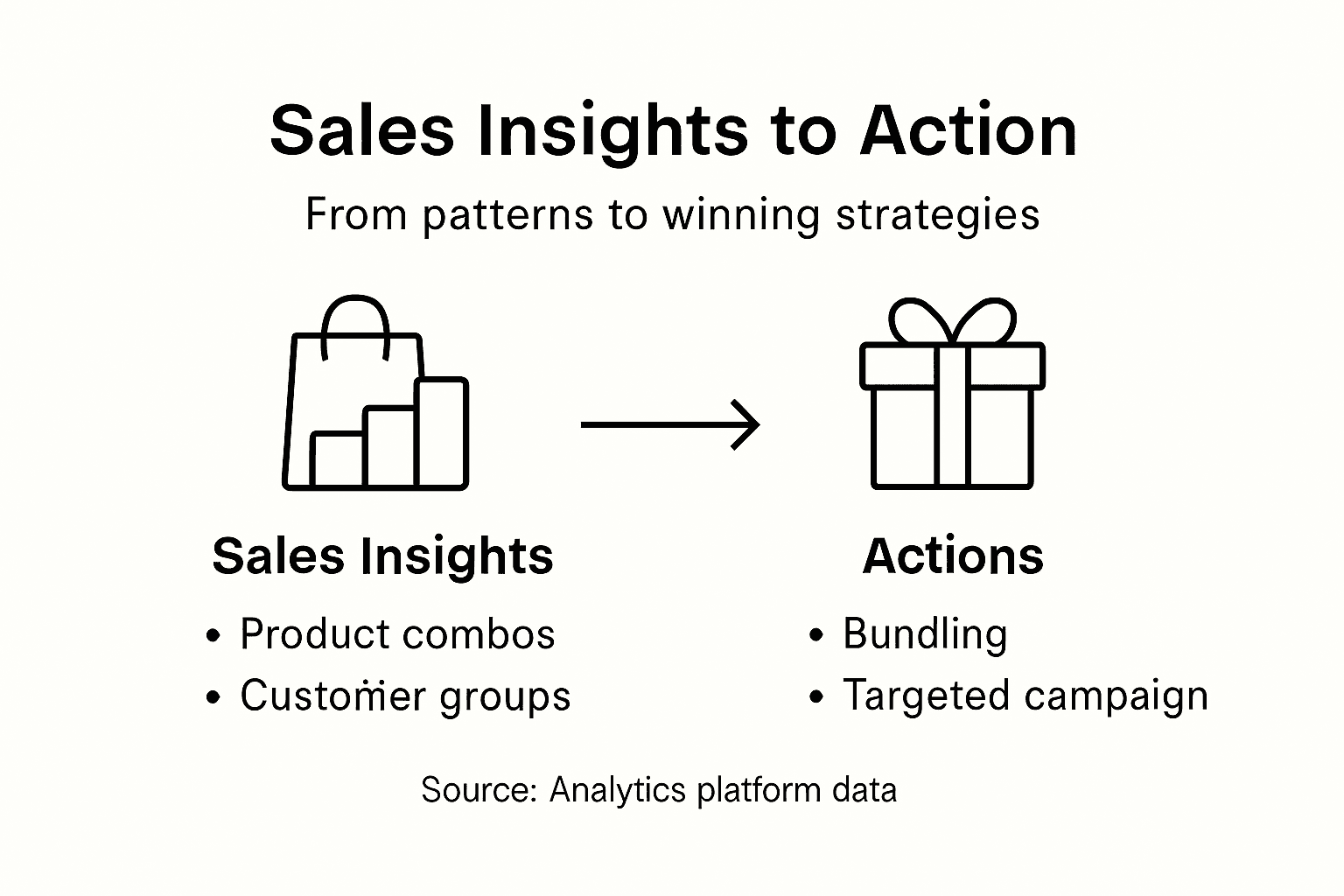
Start by identifying your highest-impact opportunities. Which product combinations show the strongest connection? Which customer segments generate the most revenue or have the highest growth potential? Focus on the opportunities that will move the needle for your business.
Evaluate each insight by asking these critical questions:
- Does this pattern have statistical significance or is it just random noise?
- Can we actually act on this insight with our current operations?
- What’s the expected revenue impact if we implement this change?
- How quickly can we test this without major investment?
Real-time data analytics enables immediate adjustments to your strategies, improving campaign effectiveness and customer experience. When you spot a promising trend, don’t wait for the next quarterly review. Test it immediately with a small group of customers.
Create a testing roadmap that prioritizes your top three to five opportunities. For product bundling, create a test bundle and measure if customers buy it at higher rates than individual items. For personalization, send targeted offers to one segment and measure conversion against your control group.
Track these metrics during your tests:
To help you spot where to optimize, here’s a summary of key metrics tracked during sales strategy tests:
| Metric Name | What It Measures | Why It Matters |
|---|---|---|
| Average Order Value | Mean purchase size per customer | Indicates upsell/cross-sell success |
| Conversion Rate | Percentage of visitors purchasing | Shows impact of marketing action |
| Customer Retention | Repeat purchase frequency | Reflects long-term engagement |
| Return Rate | Percentage of purchases returned | Identifies product or campaign issues |
- Average order value increase
- Conversion rate improvement
- Customer retention rate change
- Return or exchange rate
AI-driven marketing tools and predictive analytics provide actionable insights that guide optimization and improve customer engagement. Use these insights to refine your messaging, product recommendations, and pricing strategies.
Test small, measure carefully, scale what works. This is how analytics translate into growth.
Once a test shows positive results, gradually scale it to more customers. Monitor performance closely and adjust if results decline. The winning strategy in your data might not work exactly the same way with a larger audience.
Pro tip: Create a simple hypothesis statement for each test: “If we [action], then [expected outcome] because [reasoning].” This forces clarity and makes results easier to interpret.
Unlock Ecommerce Growth with Data-Driven Insights
Struggling to make sense of your ecommerce sales data and turn complex information into clear growth strategies is a common challenge. From integrating multiple platforms to cleansing raw transaction records and applying product association and customer segmentation techniques like RFM analysis, the process can quickly become overwhelming without the right tools. Many online retailers face hurdles such as inconsistent data, missed cross-sell opportunities, and low customer retention despite having rich sales history.
Affinsy directly addresses these challenges by offering an AI-powered analytics platform that automates the discovery of hidden product relationships and customer segments from your existing data. Whether you use Shopify, WooCommerce, or Google Analytics, Affinsy ensures seamless integration and translates your historical transactions into actionable insights that help you optimize product bundling, boost average order values, and enhance customer loyalty.
Don’t wait to transform your ecommerce analytics into measurable growth. Visit Affinsy now to explore how automated market basket analysis and RFM segmentation can revolutionize your sales strategy. Start turning your clean, unified data into clear next steps today with our platform, your partner in smarter ecommerce decision-making.
Frequently Asked Questions
How do I integrate my ecommerce and analytics platforms?
To integrate your ecommerce platform with your analytics tools, start by identifying the platforms you currently use and check for native integrations or API connections. Follow the integration guidelines for your platforms, granting permission for data sharing and selecting the data types you want to sync.
What are common data quality issues I should look for?
Common data quality issues include missing customer IDs, duplicate transactions, inconsistent product names, and negative quantities indicating returns. Systematically review your data and correct these issues to ensure a clean dataset for analysis.
How can I identify product associations from my sales data?
You can identify product associations by analyzing transaction data to find items that are frequently purchased together. Examine your sales data for patterns, such as customers who buy one product also typically buying another, to create effective bundling opportunities.
What is customer segmentation and why is it important?
Customer segmentation is the process of dividing your audience into groups based on their behavior, such as purchasing frequency and monetary value. This allows you to tailor your marketing strategies to specific segments, enhancing customer engagement and driving sales.
How do I measure the success of my sales strategy tests?
To measure the success of your sales strategy tests, track key metrics such as average order value, conversion rate, customer retention, and return rate. Set clear goals for each test and analyze the results to refine your approach based on customer response and sales impact.
What should I do after analyzing insights from my sales data?
After analyzing insights, prioritize actionable opportunities and implement changes to your sales strategy based on those insights. Test your new approach on a small scale and monitor the results to iterate and optimize your tactics effectively.
Recommended
- Sales Data Analysis: Unlocking E-Commerce Growth - Affinsy Blog | Affinsy
- Understanding Ecommerce Growth Strategies Guide - Affinsy Blog | Affinsy
- Complete Guide to Sales Trend Analysis in E-commerce - Affinsy Blog | Affinsy
- Guide to E-Commerce Data Analysis for Increased Sales - Affinsy Blog | Affinsy
- Point Of Sale Trends 2026: Enhancing Retail Efficiency