You sell products people use up: coffee, supplements, pet food, skincare. First orders come in steadily, second orders do not, and you are wondering whether pushing a subscription model would fix that. The answer is different for each product in your catalog, and your order export already shows it.
Key takeaways
-
The subscription vs one time purchase decision is made per product, not for the whole store.
-
A product suits a subscription when a large share of its buyers reorder it and most of them come back after roughly the same number of days.
-
Products with scattered reorder gaps, or that are mostly bought once, do better as a one-time purchase with a reorder reminder timed to the product.
-
Subscription churn and a one-time buyer who never reorders are the same problem: the next expected order did not happen. Measure both.
-
Set any subscription interval from the median days between orders for that product, not from one default used across the store.
Subscription vs one time purchase: which is better for my store?
Neither, as a store-wide rule. Some of your products earn a steady reorder and suit a subscription model; others are reordered unevenly or not at all and should stay one-time purchases.
The cost of getting it wrong runs both ways. A subscription that ships faster than customers use the product leads to skips, pile-ups in the cupboard and cancellations. A one-time purchase on a product people reorder like clockwork leaves the second order to chance. The decision belongs at product level, and the evidence is in your order history.
How do I tell if a product suits a subscription?
Look for two things in your orders: a large share of the product's buyers reorder it, and their gaps between orders cluster tightly around one number. If either is missing, keep it one-time and send a timed reminder instead.
A high reorder share alone is not enough. If some returning customers come back within weeks and others only after months, no single delivery interval fits most of them. A tight cluster is what tells you a subscription will arrive when the customer actually needs the product.
What does subscription churn look like compared with a one-time customer who stops reordering?
Both are customers whose next expected order did not happen. A subscriber cancels, pauses or has a payment fail, which you can see. One-time purchasers simply go quiet, which you only notice if you count them.
The cost is the same: lost repeat revenue, a customer acquisition cost that never pays back, and a lower customer lifetime value. That is why it pays to measure the two side by side, product by product, rather than treating churn rate as a subscription-only metric. The ecommerce churn rate guide covers how to count churn when there is no contract to cancel.
Can I get subscription-like repeat orders without a subscription app?
Yes. A reminder email sent a few days before each customer is likely to run out, timed to the product they bought, earns recurring revenue on the same rhythm a subscription would, without asking anyone to commit.
The reminder works because it matches the customer's own rhythm. It also leaves them in control, which suits customers with subscription fatigue. The replenishment email timing guide walks through when to send the first reminder, the follow-up, and when to stop.
What subscription interval should I offer?
Start from the median days between first and second orders for that product, and set the default interval at the median or slightly before it. Do not default every product to monthly.
If the gaps form two clear groups, for example light users and heavy users, offer two intervals drawn from those groups rather than one compromise that suits neither. Let subscribers change the interval easily, and treat frequent changes as a sign the default is off.
How do I run the per-product check from an order export?
Export your orders from Shopify, WooCommerce or your platform with at least: order id, order date, customer id, product id or SKU, and quantity. Keep paid orders only and remove test orders.
For each product you want to evaluate:
-
Filter to orders containing that product.
-
Group by customer and sort each customer's orders by date.
-
Count the customers who bought the product, and the customers who bought the same product at least twice.
-
For each repeat customer, take the days between their first and second purchase of that product.
-
From those gaps, find the median and the range where the middle half of them fall.
| Number | What it tells you |
|---|---|
| Share of buyers who reorder | Whether the product earns repeat purchases at all |
| Median days between orders | When the typical customer needs it again |
| Spread of the gaps | How predictable that timing is across customers |
Use the median, not the average. A few customers who come back after a year drag an average far to the right; the purchase frequency guide explains why. Also check you have enough repeat customers for the numbers to mean something. A handful of reorders is not a pattern.
This takes an afternoon in a spreadsheet for a few products. If you would rather not build it, Affinsy reads the same order export, uploaded as a CSV or sent by webhook or API, and shows the typical days between orders for each product along with the customers due to reorder.
Worked example: three products, three different paths
Illustration with round numbers, not a benchmark. A store looks at a year of orders for three products, each with 400 first-time buyers.
| Coffee beans, 1 kg | Facial serum | Holiday gift set | |
|---|---|---|---|
| Buyers who reorder | 220 of 400 (55%) | 140 of 400 (35%) | 32 of 400 (8%) |
| Median days to second order | 33 days | 52 days | No usable median |
| Middle half of the gaps | 28 to 38 days (tight) | 22 to 88 days (wide) | Scattered |
| Path | Subscription, default every 30 days | One-time purchase, reminder around day 45 | One-time purchase, use as a gateway |
Coffee is the subscription candidate. More than half of buyers come back, and the middle half of them reorder within a ten-day band. A 30-day default lands just ahead of when most customers run out and gives you predictable revenue.
The serum has plenty of repeat buyers, but they use it at very different rates. A fixed subscription interval would ship too early for some and too late for others. A reminder before the median, a follow-up for those who have not reordered, and a subscription offer only after the second order fit it better.
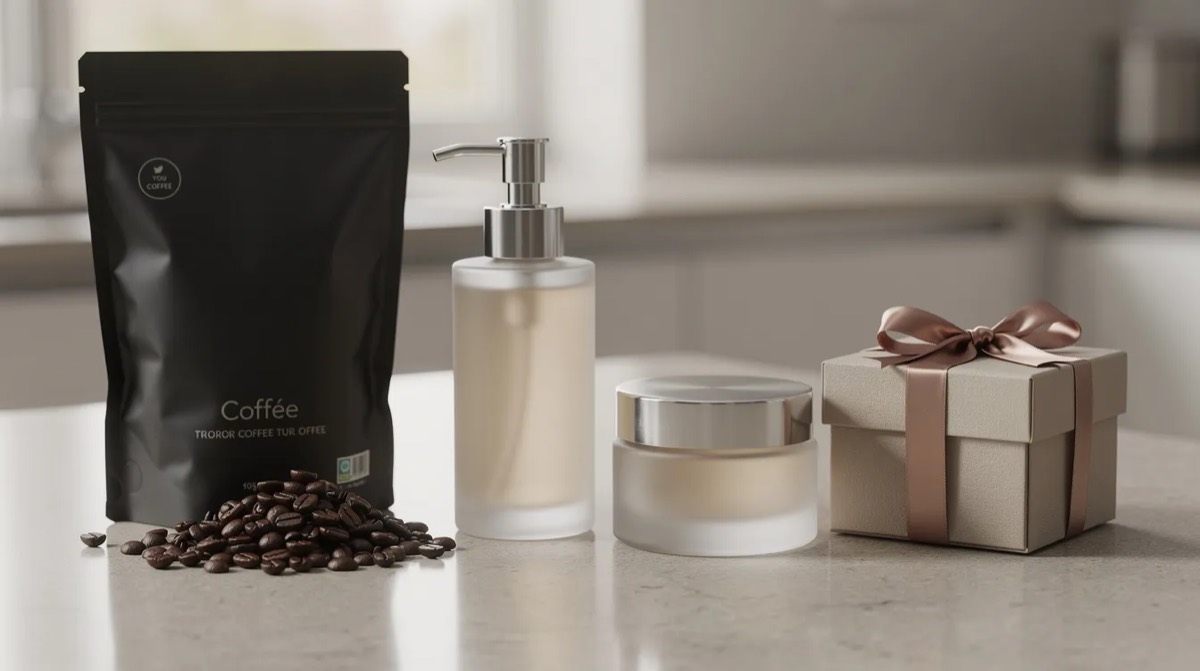
The gift set is bought once. Offering a subscription on it would add discount cost without adding orders. Its job is to bring new customers in, and the follow-up should point them to a product they will reorder. The gateway products guide shows how to find which first purchases lead to repeat customers.
What should the one-time path look like?
A reorder reminder timed to the product, one follow-up, and a subscription offer only after the customer has ordered a second time. This is the safer default for most consumable products.
-
The customer places their first order.
-
A few days before the product's median reorder day, send a reminder with a one-click way to reorder.
-
If there is no order, send one follow-up a few days later, then stop.
-
After the second order, offer the subscription to these existing customers, with the interval matched to the gap that customer just kept.
By the second order the customer has shown the product fits their routine, and you know their own timing. That is the moment a subscribe and save offer is most likely to stick. The guide to converting one-time buyers to subscribers goes deeper into the offer itself.
What should the subscription path look like?
For products with a high reorder share and a tight spread, offer the subscription from the first order, with the default interval set from the median gap and easy controls to change it.
To reduce churn among subscription customers:
-
Make skipping, pausing and swapping products easy to find.
-
Remind subscribers before each shipment so there are no surprise charges.
-
Never ship more than they can use. A cupboard full of unopened product is one of the surest ways to lose a subscriber.
-
Watch for repeated skips or interval changes on one product. They tell you the default does not match real use.
Customers who decline the subscription are not lost. Put them on the same timed reminder as the one-time path.
How do I measure subscription churn and one-time non-reorders side by side?
Count both per product over the same period. For subscriptions, count cancellations, long pauses and failed payments that were never recovered. For one-time buyers, count first-time buyers who have not reordered once the product's usual window, plus a margin, has passed.
Put the two counts next to each other for each product. If subscription churn on a product is high while its one-time buyers reorder well on reminders, the subscription interval or offer is the problem, not the product. If both are poor, the product may not be one people reorder, whatever the format.
Should I do this by hand or with an analytics tool?
By hand works for a handful of products. Classify each one as steady repeat, irregular repeat or one-off, and revisit the list quarterly.
With a larger catalog, rerunning the spreadsheet gets slow. Affinsy works from the same order history and adds reorder timing per product, product roles (which products open baskets and which bring customers back), RFM segments and cohort retention by first product. For a reorder window it builds a customer list you export and load into your email tool yourself, with the flow steps to set up the reminder by hand.
Next steps
-
Pick a handful of your best-selling consumables and run the per-product check.
-
Mark each one as subscription candidate, reminder product or gateway.
-
For subscription candidates, set the default interval from the median and make skipping easy.
-
For reminder products, set up a timed reorder flow and offer the subscription after the second order.
-
For one-off products, point the follow-up at a product customers do reorder.
If you would rather have the reorder timing for every product and the list of customers due to reorder worked out for you, so you can see which products suit a subscription, the 48-hour analysis delivers both from your own orders.
FAQ
How often should I revisit my subscription intervals?
Every quarter, or sooner if skips, pauses or cancellations rise on a product. Usage changes with seasons, pack sizes and new product versions, so the median gap moves too.
What if a product has both heavy and light users?
Look at where the gaps cluster. If there are two clear groups, offer a shorter and a longer interval drawn from them, and let subscribers switch between them without contacting support.
Should a subscription come with a discount?
Not by default. A discounted price on subscribe and save can help a customer commit, but it costs margin on every shipment, including orders they would have placed anyway. Test it against convenience alone: reliable timing, easy skips and early access to new products, which build customer loyalty without touching margin.
How do I handle failed subscription payments?
Failed payments cause involuntary churn. Remind subscribers before each charge, ask for a backup payment method, and contact them quickly when a charge fails. Many of these subscribers did not mean to leave, so recovering the payment is usually easier than winning them back later.
What if my best-selling product is a bad fit for subscription?
Use it as a gateway. Let it bring in first-time buyers, then guide them toward a product with steadier repeat behavior. That second product carries the subscription or the reorder reminders, and the best seller keeps doing what it does well.