
TL;DR:
- A curated GA4 insights list combines automated, custom, and standard reports to optimize e-commerce decision-making. Effective workflows integrate anomaly detection with hypothesis testing and transaction-level analysis, ensuring timely, accurate actions. Prioritizing clear KPIs and governance prevents data overload, enhancing strategic insights and performance.
A Google Analytics insights list is a curated set of AI-driven signals and standard report metrics designed to help e-commerce managers optimize website performance and customer engagement without drowning in data. Google Analytics 4 (GA4) delivers this through automated insights, custom insights, predictive metrics, and a structured reports library. The challenge is not accessing data. It is knowing which signals to act on. This guide gives you a prioritized google analytics insights list built specifically for e-commerce and marketing teams who need faster decisions, not longer dashboards.

1. Automated insights: your first-pass anomaly detection
Automated insights in GA4 detect sudden spikes, dips, and weekly performance shifts without any manual setup. They surface in your GA4 reporting view continuously, refreshed against live site and app data. This means you get an alert when Black Friday traffic doubles unexpectedly or when a product page conversion rate drops overnight, before you would have noticed it in a standard report.
The practical value is speed. Automated insights reduce the time you spend scanning reports by flagging what changed and where, so your next step is analysis rather than discovery. For e-commerce managers monitoring dozens of product categories, this triage function alone justifies making automated insights the starting point of every weekly analytics review.
Pro Tip: Set your GA4 homepage to the Insights panel so automated alerts are the first thing you see each session. This trains your team to treat anomaly detection as a daily habit rather than an occasional check.
2. Custom insights: targeted KPI alerts with email notifications
Custom insights let you define exactly what constitutes a meaningful change for your business. GA4 supports up to 50 user-defined anomaly or threshold alerts per property, each with optional email notifications. You can trigger an alert when revenue drops below a daily threshold, when cart abandonment rate exceeds a set percentage, or when a specific traffic source spikes beyond normal range.
This is where custom insights separate serious e-commerce analytics from casual monitoring. A Shopify store running seasonal promotions can set a revenue threshold alert for every major campaign period. A subscription brand can monitor churn-related events in real time. Once triggered, custom insights appear on your insight dashboard and can be edited or deleted as your KPIs evolve.
3. Predictive metrics: purchase probability and churn likelihood
GA4’s predictive metrics use machine learning to score users based on behavioral signals including purchase probability, churn likelihood, and predicted revenue. These are not vanity metrics. A user with a 90% purchase probability in the next seven days is a retargeting priority. A user with high churn likelihood is a retention campaign target.
Predictive audiences built from these metrics can be exported directly to Google Ads for remarketing. This closes the loop between GA4 analysis and paid media execution, which is a workflow most e-commerce teams underuse. Predictive revenue, the third metric in this set, helps forecast demand and plan inventory or promotional spend with more precision than historical averages alone.
4. Generated insights: plain-language summaries of what changed
Generated insights translate raw data shifts into plain English explanations. Instead of reading a chart that shows a 23% drop in sessions from organic search, GA4 tells you that sessions declined because of reduced traffic from a specific keyword cluster or geographic region. This matters for marketing professionals who present findings to stakeholders who do not read dashboards directly.
These summaries appear alongside automated insights and are particularly useful during post-campaign reviews. They give you a narrative to attach to the numbers, which speeds up reporting cycles and reduces the back-and-forth between analysts and decision-makers. Think of generated insights as the annotation layer on top of your data.
5. Key GA4 standard reports every e-commerce manager should prioritize
GA4 splits reporting into Standard Reports managed by Google and the Explore tab for custom analysis. For e-commerce managers, the following standard reports map directly to customer journey stages:
- Traffic Acquisition — shows which channels drive new sessions; maps to acquisition stage
- User Acquisition — shows which channels bring new users for the first time; critical for paid media ROI
- Landing Page — reveals which pages receive traffic and how they convert; maps to engagement
- Pages and Screens — tracks engagement depth across your catalog and content
- Events and Conversions — monitors purchase events, add-to-cart actions, and goal completions; maps to monetization
- Demographics Overview — segments your audience by age, gender, and location for campaign targeting
Mapping these reports to acquisition, engagement, monetization, and retention stages gives your team a structured review sequence rather than a random walk through data. Each report answers a specific business question, which is how you avoid the trap of checking analytics without a clear purpose.
| Report | Customer journey stage | Primary metric |
|---|---|---|
| Traffic Acquisition | Acquisition | Sessions by channel |
| User Acquisition | Acquisition | New users by source |
| Landing Page | Engagement | Engagement rate, conversions |
| Events and Conversions | Monetization | Purchase events, revenue |
| Demographics Overview | Retention/Targeting | Audience segments |
6. Building a focused GA4 dashboard without KPI overload
Lack of KPI governance leads to too many inconsistent custom metrics, contradictory dashboards, and wasted analysis time. Shopify’s 2026 data strategy explicitly names KPI standardization as a prerequisite to effective dashboard building. The fix is not more data. It is fewer, better-defined metrics.
Prioritize five to six key cards on your GA4 Reports Snapshot, each tied directly to how your business makes money. For most e-commerce teams, that means purchase conversion rate, revenue, average order value, traffic by channel, and one retention metric such as returning user rate. Every other metric is secondary and belongs in an Explore report, not your daily dashboard.
Pro Tip: Assign ownership of each KPI card to a specific team member. When a metric has a named owner, anomalies get investigated faster and definitions stay consistent across reporting periods.
The workflow that works in practice: use automated insights for detection, pull the relevant standard report to confirm the signal, then open Explore to test your hypothesis about the cause. This three-step sequence keeps analysis focused and prevents the common mistake of treating every data point as equally urgent.
7. How to use the Explore tab after an insight triggers
The Explore tab is where hypothesis testing happens after an automated or custom insight fires. Effective e-commerce analytics teams do not rely solely on standard reports. They iterate hypotheses using funnel explorations, path analyses, and segment overlaps triggered by AI-driven alerts. This distinction matters because standard reports show you what happened, while Explore shows you why.
A practical example: automated insights flag a 30% drop in add-to-cart events on mobile. You open a funnel exploration in Explore, segment by device type, and discover that a checkout step is failing specifically on iOS 17. That finding is not visible in any standard report. It only surfaces when you combine the detection layer with custom exploration.
8. Integrating GA4 insights with your broader analytics stack
GA4 does not operate in isolation for mature e-commerce teams. The most effective workflows combine GA4 with Looker Studio for executive dashboards, Google Ads for audience activation, and specialized analytics platforms for deeper behavioral analysis. GA4’s scheduled email reports and data export capabilities make it a hub rather than a destination.
Integrating GA4 insights with tools that analyze transaction-level data adds a layer that GA4 cannot provide natively. GA4 tells you that revenue dropped on Tuesday. A platform analyzing your order history tells you which product categories drove the drop and which customer segments stopped buying. Combining these signals gives you a complete picture. For teams exploring AI in e-commerce, this kind of layered analytics approach is where the real performance gains appear.
Affinsy, for example, analyzes historical transaction data to surface product association patterns and RFM customer segments that GA4 behavioral data alone cannot reveal. Exporting order data from Shopify, WooCommerce, or BigCommerce into Affinsy via CSV or API adds a segmentation layer that makes GA4 acquisition and retention insights significantly more precise.
9. When to use automated insights vs. custom insights vs. standard reports
AI insights work best as a detection layer, with anomaly detection for sudden spikes or dips and trend change detection for gradual directional shifts. Knowing which type of change you are looking for determines which tool you reach for first.
| Insight type | Best use case | Limitation |
|---|---|---|
| Automated insights | First-pass anomaly detection, weekly review | Cannot be customized to your KPIs |
| Custom insights | Targeted KPI alerts, campaign monitoring | Requires upfront configuration |
| Standard reports | Routine performance tracking, stakeholder reporting | No anomaly detection built in |
| Explore tab | Funnel analysis, path exploration, hypothesis testing | Requires analytical skill to interpret |
Combining these tools avoids the false conclusions that come from relying on any single view. An automated insight tells you something changed. A standard report confirms the scale. Explore reveals the cause. Custom insights keep you informed between review cycles. Each layer serves a distinct purpose, and skipping one creates blind spots.
Key takeaways
A well-governed Google Analytics insights list built on GA4’s AI-powered detection, targeted custom alerts, and journey-mapped standard reports gives e-commerce teams the signal clarity needed to act fast and act correctly.
| Point | Details |
|---|---|
| Start with automated insights | Use GA4’s anomaly detection as your daily triage layer before opening any standard report. |
| Limit dashboard cards to five or six | Focus on purchase conversion rate, revenue, AOV, channel traffic, and one retention metric. |
| Map reports to journey stages | Assign each standard report to acquisition, engagement, monetization, or retention for structured review. |
| Govern your KPIs before building | Standardize metric definitions across your team to prevent contradictory dashboards and wasted analysis. |
| Layer GA4 with transaction analytics | Combine GA4 behavioral signals with order-level segmentation tools for complete customer visibility. |
Why most GA4 insights lists fail before they start
The most common mistake I see e-commerce teams make is building their analytics setup around what GA4 can show rather than what their business needs to know. They add every available card to the Reports Snapshot, configure alerts for every conceivable metric, and end up with a dashboard that generates noise instead of signal. The data is all there. The governance is not.
What actually works is starting with three questions: What does a good week look like? What does a bad week look like? What single metric, if it moved 20% in either direction, would change what we do tomorrow? Answer those three questions first, then build your insights list around them. Everything else is secondary.
GA4’s AI capabilities, particularly predictive metrics and automated anomaly detection, are genuinely transformational for teams that use them as a starting point rather than a destination. The retail analytics automation potential is real, but only when the detection layer feeds into a disciplined analysis workflow. I have seen teams with sophisticated GA4 setups make worse decisions than teams with simpler configurations, purely because the complex setup lacked ownership and governance.
The other thing worth saying directly: GA4 insights are behavioral data. They tell you what users did on your site. They do not tell you what products those users buy together, which customer segments have the highest lifetime value, or which cohorts are at risk of churning. For those questions, you need transaction-level analysis alongside your GA4 data. The teams winning on analytics in 2026 are the ones who have connected both layers.
— Mateusz
Take your e-commerce analytics further with Affinsy
GA4 gives you behavioral signals. Affinsy gives you the transaction intelligence to act on them with precision.
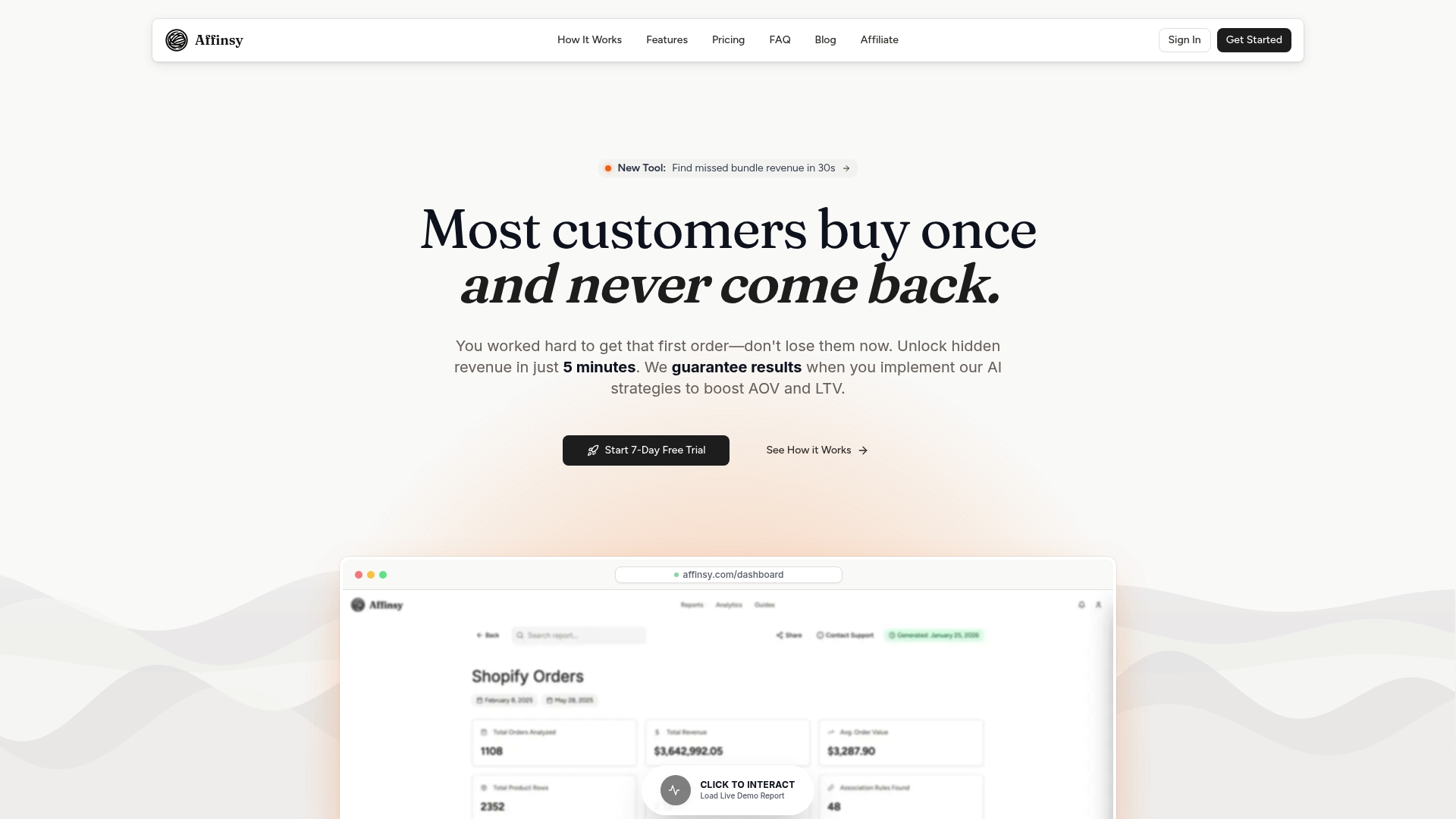
Affinsy analyzes your historical order data to surface product association patterns through market basket analysis and RFM-based customer segmentation that GA4 cannot provide natively. Export your order data from Shopify, WooCommerce, BigCommerce, or Stripe, and feed it into Affinsy via CSV or API. The free tier covers up to 20,000 line items with no credit card required. When your GA4 insights flag a revenue drop or a retention problem, Affinsy tells you exactly which products and customer segments are driving it.
FAQ
What is a Google Analytics insights list?
A Google Analytics insights list is a curated set of AI-driven alerts and standard report metrics selected to help e-commerce teams monitor performance and act on meaningful changes. It combines automated insights, custom KPI alerts, and journey-mapped reports into a focused review workflow.
How many custom insights can you create in GA4?
GA4 supports up to 50 custom insights per property, each with optional email notifications. Custom insights trigger when a user-defined threshold or anomaly condition is met, and they appear on the GA4 insight dashboard automatically.
What is the difference between automated insights and standard reports in GA4?
Automated insights detect unusual changes and surface them without manual setup, while standard reports provide fixed views of traffic, engagement, and conversion data. The two work best together: automated insights flag what changed, and standard reports confirm the scale of the change.
Which GA4 reports matter most for e-commerce?
Traffic Acquisition, User Acquisition, Landing Page, Events and Conversions, and Demographics Overview are the five standard reports most directly tied to e-commerce performance. Each maps to a specific customer journey stage from acquisition through monetization.
How do you avoid KPI overload in GA4?
Limit your GA4 Reports Snapshot to five or six cards tied directly to revenue-driving metrics, standardize KPI definitions across your team, and assign ownership of each metric to a named team member. Governance prevents the contradictory dashboards that make analytics reviews unproductive.
Recommended
- 7 Essential Marketing Analytics Tools List for E-commerce Success - Affinsy Blog | Affinsy
- Best ecommerce insights platforms – Expert Comparison 2025 - Affinsy Blog | Affinsy
- Top 6 Best Ecommerce Analytics Tools 2026 for Boosting Sales - Affinsy Blog | Affinsy
- Understanding Google Analytics Ecommerce for Online Stores - Affinsy Blog | Affinsy