
TL;DR:
- Shopify analytics encompass four core types: descriptive, diagnostic, predictive, and prescriptive.
- Focus on key reports like acquisition, behavior, customer, sales, marketing, and finance for actionable insights.
- Prioritize quick action on imperfect data, using speed and iteration to drive growth.
Shopify gives you more data than most teams know what to do with. Sales dashboards, customer reports, acquisition funnels, marketing stats — it all adds up fast. The problem isn’t a lack of data. It’s knowing which numbers actually move the needle on retention and revenue, and which ones just look impressive in a monthly review. This guide breaks down the four core analytics types, the reports that matter most, and the strategies that turn raw Shopify data into decisions that grow your business. Skip the surface metrics. Focus on what drives repeat purchases and real loyalty.
Table of Contents
- Understanding the four core types of Shopify analytics
- Essential Shopify reports and what they reveal
- Turning cohort and retention data into action
- Revenue, conversion, and LTV: Making metrics matter
- Pitfalls, expert tips, and advanced analytics stacks
- A fresh take: Why winning with Shopify analytics means embracing imperfection
- Next steps: Take your Shopify analytics to the next level
- Frequently asked questions
Key Takeaways
| Point | Details |
|---|---|
| Shopify analytics framework | Using descriptive, diagnostic, predictive, and prescriptive analytics helps clarify what drives your store’s results. |
| Retention wins revenue | Focusing on post-purchase retention and cohort insights quickly boosts your lifetime customer value and repeat purchase rates. |
| Know your limits | Shopify’s analytics are strong for sales snapshots but require external tools and manual work for deeper cross-channel insights and profit tracking. |
| Act on the data | Imperfect but actionable numbers beat perfect but unused data for growing your sales and keeping customers. |
Understanding the four core types of Shopify analytics
Not all analytics are created equal. Shopify’s data environment spans four distinct types, and each one answers a different business question. Shopify Analytics categorizes analysis into descriptive, diagnostic, predictive, and prescriptive approaches. Understanding which type you’re working with changes how you act on what you find.
Descriptive analytics answers “what happened?” This is your baseline. Think sales trends, total revenue by month, units sold by product, and top traffic sources. Most store owners live here by default.

Diagnostic analytics answers “why did it happen?” Funnel drop-off reports, cart abandonment breakdowns, and session behavior data all fall here. Instead of just knowing your conversion rate dropped, diagnostic analytics helps you trace it back to a specific landing page, checkout step, or traffic source.
Predictive analytics answers “what will happen?” Using historical patterns, you can forecast demand, anticipate churn, and estimate seasonal spikes. Shopify doesn’t do much of this natively, but third-party tools and AI platforms fill the gap.
Prescriptive analytics answers “what should I do?” This is the highest-value tier. It combines the other three to recommend concrete actions: restock this SKU, target this customer segment, run this promotion. Most growing stores don’t get here without outside tooling.
Here’s how the four types compare in practice:
| Analytics type | Key question | Shopify example |
|---|---|---|
| Descriptive | What happened? | Monthly sales trend report |
| Diagnostic | Why did it happen? | Checkout funnel drop-off by step |
| Predictive | What will happen? | Demand forecast from purchase history |
| Prescriptive | What should I do? | Automated bundle or upsell recommendation |
The stores that outperform their category don’t just pull descriptive reports. They layer all four types together. Descriptive data surfaces the problem. Diagnostic data explains it. Predictive models quantify the opportunity. Prescriptive insights tell the team exactly where to focus. To get a deeper look at how this plays out with your own data, the Shopify Sales Analyzer overview walks through a practical framework for combining these approaches.
Essential Shopify reports and what they reveal
With the core analytics types clear, the next step is knowing which Shopify reports get you those answers and which ones are essential for focused action.
Shopify’s native reporting covers six main categories. Key reports include Acquisition, Behavior, Customer, Sales, Marketing, and Finance, with access to custom reports and ShopifyQL reserved for Advanced and Plus plans. Here’s what each one is really for:
- Acquisition reports — Show where your visitors come from. Use these to evaluate whether your paid spend is actually driving quality traffic or just volume.
- Behavior reports — Reveal how visitors move through your store. Identify the pages where people leave and the products they browse but never buy.
- Customer reports — Break down new vs. returning buyers, purchase frequency, and at-risk segments. Essential for retention planning.
- Sales reports — Track revenue by product, variant, channel, and time period. The go-to for identifying your true top performers.
- Marketing reports — Connect campaigns to actual orders. Useful for validating email, SMS, and paid ad performance side by side.
- Finance reports — Cover gross profit, taxes, and payment processing fees. Critical for understanding real margin, not just top-line revenue.
Pro Tip: Shopify’s native reports are strong on revenue accuracy but can leave gaps in attribution and behavioral depth. Supplement with a tool like Google Analytics 4 and an ecommerce reporting guide to cover the blind spots that Shopify alone misses.
If you’re on Basic Shopify, you’ll have access to core reports but not custom queries or ShopifyQL, which is Shopify’s SQL-like language for building bespoke analytics views. Upgrading to Advanced or Plus unlocks significantly more granular data, including the ability to filter reports by custom date ranges, product attributes, and customer tags. For stores scaling past $1M in revenue, that flexibility is worth the investment.
Turning cohort and retention data into action
Once you know your key reports, it’s crucial to put them to work, especially for improving the backbone of growth: customer retention.
Cohort analysis groups customers by when they first purchased and tracks their behavior over time. The insight that matters most is what happens in the first 90 days. Use cohort analysis to track repeat rates, and pay close attention to that early window, because customers who don’t reorder within 90 days rarely come back at all.
The numbers make this urgent. The 2026 Shopify repeat rate benchmark is 28.2%, with email and SMS campaigns converting at 4.1 to 5.8%, compared to just 1 to 2% for paid ads. That gap is enormous. It means the customers already in your database are far more valuable, and easier to convert, than cold traffic you’re paying to acquire.
Here’s what actually moves retention metrics once you have the data:
- Triggered post-purchase sequences — Send a follow-up email at day 7 with a relevant product recommendation based on what they bought.
- Win-back campaigns — Identify customers who haven’t purchased in 60 to 90 days and offer a reason to return, whether that’s a discount, a new collection, or fresh content.
- Segment by cohort health — If a specific acquisition month has unusually low repeat rates, trace it back to the traffic source or promotion that brought those buyers in.
- Loyalty program signals — Use retention data to determine which incentives actually drive repeat orders, not just which ones feel good to offer.
Pro Tip: Pull your 90-day cohort report and sort by acquisition source. If customers from a specific paid channel show dramatically lower repeat rates, that channel may be attracting discount hunters rather than loyal buyers. Redirect that budget toward Shopify marketing tips and channels that attract high-LTV customers. For brands managing rising acquisition costs, the DTC growth playbook offers retention-first frameworks worth reviewing.
Revenue, conversion, and LTV: Making metrics matter
Improving customer retention is only part of the equation. Using your revenue and customer value metrics is also essential for long-term profitability.
Customer lifetime value (LTV) is the single metric that most changes how you allocate budget. The LTV formula is AOV × Purchase Frequency × Lifespan × Gross Margin%, and Shopify doesn’t calculate it natively, so you’ll need to do this manually or with a third-party app. Here’s a quick example: if your average order value is $75, customers buy 3 times per year, stay for 2 years, and your gross margin is 50%, your LTV is $225.
2026 Shopify benchmarks show an average LTV of $168 over three years, with a median of $125, a repeat rate of 28.2%, and a median conversion rate of 1.5 to 2.8%. These numbers give you a real baseline. If your LTV is below $125, retention is your highest-leverage lever. If your conversion rate is below 1.5%, checkout experience or offer clarity deserves your attention first.
Here’s a practical action plan for using these numbers:
- Calculate your LTV by channel — Some acquisition sources produce customers worth twice the average. Know which ones before setting ad budgets.
- Compare LTV to CAC — A healthy LTV:CAC ratio sits at 3:1 or higher. If you’re spending $60 to acquire a customer worth $90, you have little room for error.
- Use AOV to inform boosting AOV strategies — Bundle recommendations and post-purchase upsells can shift average order value significantly with minimal effort.
- Track CVR by device and traffic source — A conversion rate gap between mobile and desktop often signals a UX problem that’s leaking revenue every day.
“LTV and CVR aren’t just performance metrics. They’re budget allocation signals. Every dollar you spend on acquisition should be benchmarked against the expected lifetime return of the customer you’re buying.”
For a deeper breakdown of these metrics in action, the Shopify Sales Analyzer is a useful starting point for pulling these numbers without heavy custom reporting.
Pitfalls, expert tips, and advanced analytics stacks
To get the full value from Shopify Analytics, you also need to recognize its limitations and see where advanced tools fill the gaps.
Last-click attribution, client-side tracking loss, and plan gating are three of the most damaging pitfalls in Shopify analytics. Last-click attribution gives all credit to the final touchpoint before purchase, which consistently overvalues retargeting ads and undervalues email and organic content. Tracking loss compounds the problem, with client-side scripts blocked by browsers or ad blockers creating invisible gaps in your data. And plan gating means key features like custom reports simply don’t exist below Advanced tier.
Native Shopify analytics often costs scaling stores 10 to 15 hours per week due to integration and attribution gaps that require manual workarounds. That time has a real dollar cost. Here’s how to address the most common issues:
- Move to server-side tracking for conversion events to reduce data loss
- Use GA4 alongside Shopify for behavioral and multi-touch attribution data
- Cross-reference Shopify revenue figures with your payment processor to catch discrepancies
- Explore AI analytics tools for ecommerce when native reporting isn’t enough
Pro Tip: Pairing GA4 with server-side event tracking gives you a much more complete picture of the customer journey. It’s not a perfect solution, but it closes the biggest gaps without replacing your entire ecommerce analytics platform. For teams looking to move faster, tools that automate retail analytics can cut that 10-15 hour weekly overhead substantially.
A fresh take: Why winning with Shopify analytics means embracing imperfection
Here’s a perspective most guides won’t tell you: the stores that grow fastest aren’t the ones with perfect data. They’re the ones that act on directional insights quickly and iterate without waiting for a flawless analytics stack.
Analytics paralysis is real. Teams spend weeks debating attribution models instead of launching a win-back campaign that would take two hours to build. They wait for full cohort data when a simple 30-day retention report would point them in the right direction today.
Directional accuracy beats precision delay in almost every retention and sales scenario. If your cohort data suggests a 60-day drop-off problem, run an experiment. Don’t wait to confirm it with three more data sources. If your LTV numbers look low compared to benchmarks, test a post-purchase upsell this week, not next quarter after a full data audit.
The DTC growth playbook reinforces this: the brands offsetting rising acquisition costs are moving fast on imperfect signals, not waiting for certainty. Progress, not perfection, compounds into revenue. Build your analytics practice around speed of insight and willingness to act, then refine as you grow.
Next steps: Take your Shopify analytics to the next level
If you’re ready to sharpen your toolkit and run smarter analytics strategies, here’s where to go next.
The educational foundation is important, but advanced growth comes from applying the right frameworks to your specific data. If you want to understand which products customers buy together, market basket analysis is the place to start. For building audience segments that actually respond to your campaigns, customer segmentation covers the core methods.
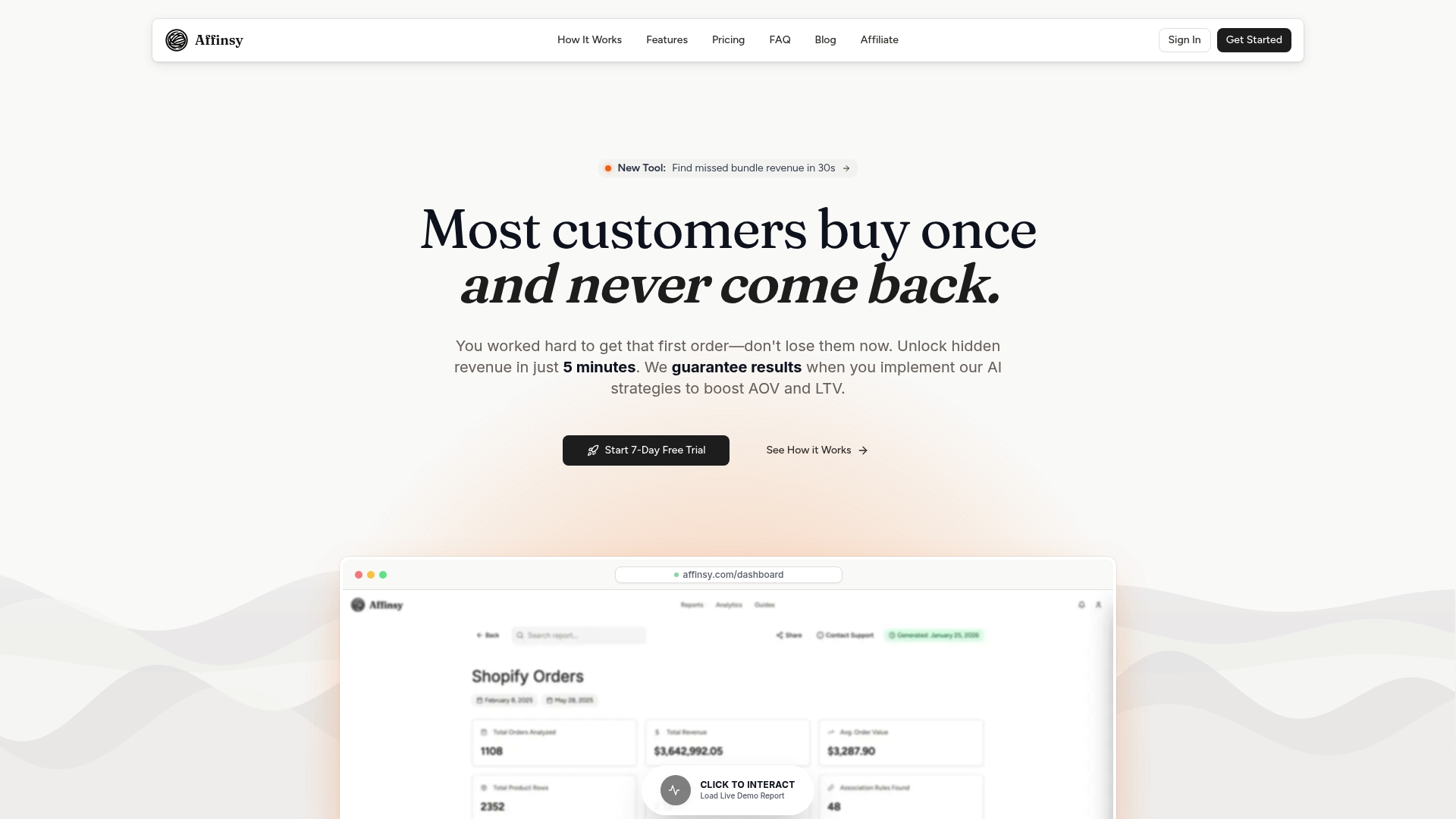
Affinsy’s platform connects directly to your exported Shopify order data via CSV upload or API, no complex integrations required. You get AI-powered market basket analysis and RFM segmentation without needing a data science team. The free tier handles up to 20K line items with full feature access. Explore the full e-commerce analytics glossary for definitions and frameworks, or start your free account today to see what your transaction data reveals.
Frequently asked questions
What are the main limitations of Shopify Analytics?
Shopify lacks multi-touch attribution and native profit and LTV tracking, and can miss up to 30% of events due to client-side tracking limitations. While it excels at server-side revenue accuracy, cross-platform integration and profit calculations require outside tools.
Which Shopify plan offers the most advanced analytics?
Advanced and Plus plans unlock custom reports and ShopifyQL, giving you far more granular data and query flexibility than Basic or standard Shopify plans.
How can I calculate customer lifetime value (LTV) on Shopify?
You must calculate LTV manually or use a third-party app since Shopify lacks native LTV calculation. The formula is AOV multiplied by Purchase Frequency, multiplied by Customer Lifespan, multiplied by Gross Margin percentage.
What retention benchmarks should I target?
Aim for a 90-day repeat rate of 18 to 25% on average, with top-quartile stores reaching 30 to 38%. The 2026 all-store median repeat rate is 28.2%, making it a solid baseline for comparison.
Recommended
- How to Analyze Ecommerce Sales Data for Better Growth - Affinsy Blog | Affinsy
- Actionable Ecommerce Analytics Explained: Boost Revenue - Affinsy Blog | Affinsy
- Top 6 Best Ecommerce Analytics Tools 2026 for Boosting Sales - Affinsy Blog | Affinsy
- Ecommerce Reporting Guide: Optimize Store Growth Easily - Affinsy Blog | Affinsy